
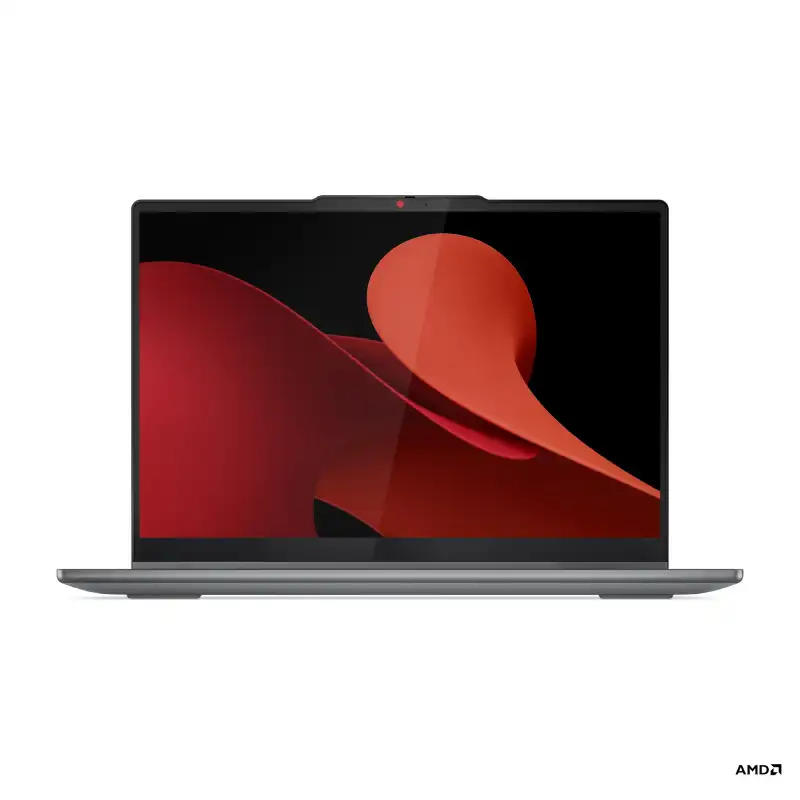


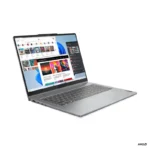
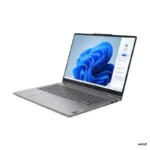
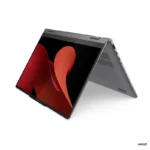
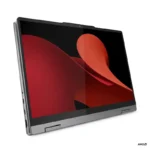
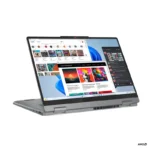
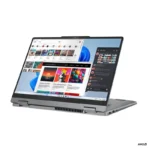
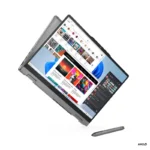
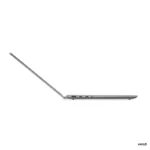
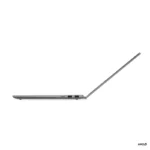
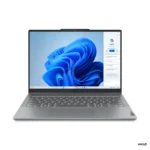
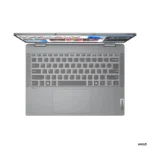
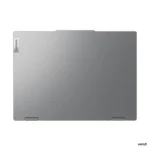
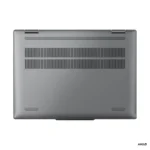

Lenovo IdeaPad 5 2-in-1 14AHP9 83DR007DIN
📞 Call for best price
LENOVO Offers
- AMD Ryzen™ 7 8845HS (8C / 16T, up to 5.1GHz)
- 14″ WUXGA (1920×1200) IPS 300nits Glossy, 45% NTSC, 60Hz, TÜV Low Blue Light, Glass, Touch
- 16GB Soldered LPDDR5X-6400
- 512GB SSD M.2 2242 PCIe® 4.0×4 NVMe®
- Integrated AMD Radeon™ 780M Graphics
- Windows 11 Home + Microsoft Office Home 2024
- Luna Grey
- 1-Year Premium Care (Onsite) Warranty
💠Why Buy From Us?
🛡️ Zero-Risk Buying: 100% Genuine, Brand-Authorized stock with GST Invoices for easy tax savings.
💰 Price Found it cheaper?: We’ll match the prices of Amazon,Flipkart and Local Store.
⚡ Bangalore Express: Free same-day delivery in Bangalore—faster than any "Prime" service.
🤝 Real Support: No bots. Call us at 9739221133 or visit our Koramangala store for expert advice and hands-on setup.
🎯Brand-Specific Offers:Cashback,No Cost EMI ,Warranty Extensions Call us at 9739221133
💳 No-Cost EMI: Get it with Bajaj Finserv or Credit Cards.
Out of stock
Email when stock available
IdeaPad 5 2-in-1 14AHP9 — 83DR007DIN
The IdeaPad 5 2-in-1 14AHP9 (83DR007DIN) is a versatile laptop built for productivity, study, and everyday computing. Powered by the AMD Ryzen™ 7 8845HS, 16GB Soldered LPDDR5X-6400, 512GB SSD M.2 2242 PCIe® 4.0×4 NVMe®, it delivers responsive performance for work, study, and content creation. The 14″ WUXGA (1920×1200) IPS 300nits Glossy, 45% NTSC, 60Hz, TÜV Low Blue Light, Glass, Touch display brings vivid clarity to everything on screen.
Technical Specifications
| Performance | |
| Processor | AMD Ryzen™ 7 8845HS (8C / 16T, 3.8 / 5.1GHz, 8MB L2 / 16MB L3) |
| AI PC Category | AI PC |
| NPU | Integrated AMD Ryzen™ AI, up to 16 TOPS |
| Graphics | Integrated AMD Radeon™ 780M Graphics |
| Chipset | AMD SoC Platform |
| Memory | 16GB Soldered LPDDR5X-6400 |
| Memory Slots | Memory soldered to systemboard, no slots, dual-channel |
| Max Memory | 16GB soldered memory, not upgradable |
| Storage | 512GB SSD M.2 2242 PCIe® 4.0×4 NVMe® |
| Storage Slot | One M.2 2242 PCIe® 4.0 x4 slot |
| Max Storage Support | One drive, up to 1TB M.2 2242 SSD |
| Card Reader | microSD Card Reader |
| Audio Chip | High Definition (HD) Audio, Realtek® ALC3287 codec |
| Speakers | Stereo speakers, 2W x2, optimized with Dolby Audio™ |
| Microphone | 2x, Array |
| Camera | FHD 1080p with Privacy Shutter |
| Battery | 57Wh |
| Power Adapter | 65W USB-C® (3-pin) |
| Display & Design | |
| Display | 14″ WUXGA (1920×1200) IPS 300nits Glossy, 45% NTSC, 60Hz, TÜV Low Blue Light, Glass, Touch |
| Touchscreen | 10-point Multi-touch |
| Screen-to-Body Ratio | 89% AAR (active area ratio) |
| Color Calibration | No Color Calibration |
| Pen | Lenovo® Digital Pen 2 |
| Keyboard | Backlit, English |
| Touchpad | Buttonless Mylar® surface multi-touch touchpad, supports Precision TouchPad (PTP), 75 x 120 mm (2.95 x 4.72 inches) |
| Dimensions (WxDxH) | 313 x 227 x 17.9 mm (12.32 x 8.94 x 0.70 inches) |
| Weight | Starting at 1.6 kg (3.53 lbs) |
| Case Color | Luna Grey |
| Case Material | PC-ABS + 40% GF (Top), PC-ABS + 40% GF (Bottom) |
| Surface Treatment | Metallic Painting |
| Software | |
| Operating System | Windows® 11 Home Single Language, English |
| Bundled Software | Office Home 2024 |
| Connectivity & Ports | |
| WLAN + Bluetooth | Wi-Fi® 6, 802.11ax 2×2 + BT5.3 |
| WWAN | WWAN Not Supported |
| Ethernet | No Onboard Ethernet |
| Standard Ports | 1x USB-A (USB 5Gbps), Always On, 1x USB-A (USB 5Gbps), 2x USB-C® (USB 10Gbps), with USB PD 3.1 and DisplayPort™ 1.4, 1x HDMI® 1.4b, 1x Headphone / microphone combo jack (3.5mm), 1x microSD card reader |
| Docking |
|
| Security & Privacy | |
| Security Chip | Firmware TPM 2.0 Enabled |
| Fingerprint Reader | Touch Style, on Palm Rest |
| Other Security | Camera privacy shutter |
| Service | |
| Base Warranty | 1-year, Courier or Carry-in |
| Included Upgrade | 1Y Accidental Damage Protection Add On, 1Y Premium Care with Onsite upgrade from 1Y Depot/CCI |
| Accessories | |
| Bundled Accessories | None |
| Certifications | |
| Green Certifications | ENERGY STAR® 9.0, EPEAT™ Gold Registered, ErP Lot 6/26, RoHS compliant |
| Mil-Spec Test | MIL-STD-810H military test passed (21 test items) |
| Other Certifications |
|
| Product Information | |
| Machine Type | 83DR |
| Importer Details | |
| Importer | Lenovo India Pvt. Ltd. |
| Address | Ferns Icon, Level-2, Doddenakundi, Marathahalli, Outer Ring Road, Bangalore 560037 |
| Helpline | 1800-419-7555 |
| Support Email | support@lenovo.com |
| Laptop Series | Lenovo IdeaPad 2-in-1 |
|---|---|
| Processor Brand | AMD Ryzen™ |
| Laptop Processor | AMD Ryzen™ 7 8845HS |
| Laptop RAM | 16GB LPDDR5X |
| Laptop Storage | 512GB SSD |
| Laptop Graphics | AMD Radeon™ 780M |
| Software | Windows 11 Home |
| Laptop Screen Sizes | 14″ WUXGA-60Hz-Touch |
| Laptop Touch Screen | YES |
Lenovo Laptops & ThinkPad - Authorized Dealer Bangalore
Welcome to Bangalore's premier Lenovo destination. Yourshoppy is an authorized Lenovo dealer in Koramangala. We offer the complete ThinkPad, IdeaPad, and Legion range. Moreover, our prices are significantly lower than Amazon and Flipkart. Additionally, free accessories come with every purchase.Why Choose Us for Lenovo Products?
✅ Authorized Lenovo Partner – Genuine products with full warranty ✅ Unbeatable Prices – 20-30% lower than online stores ✅ Corporate Deals – Special bulk pricing for businesses ✅ Free Premium Bundle – Accessories worth ₹1000+ included ✅ Expert Guidance – Professional computing advice ✅ Immediate Stock – Same-day delivery available ✅ Extended Warranties – Additional protection optionsLenovo Business Laptops
ThinkPad Professional Series
ThinkPad represents business laptop excellence. These machines are legendary for durability. Furthermore, military-grade build quality ensures longevity. The keyboards are industry-leading. Moreover, enterprise security features protect data. Consequently, professionals worldwide trust ThinkPad.ThinkPad models include T-Series for mainstream business use. Meanwhile, X-Series offers ultra-portable options. Additionally, P-Series provides workstation power. Each series serves specific professional needs.ThinkBook Modern Business
ThinkBook targets modern professionals and SMBs. These laptops balance style with functionality. Moreover, pricing is more accessible. Performance remains excellent for business tasks. Therefore, small businesses prefer ThinkBook value.Lenovo Consumer Laptops
IdeaPad Versatile Series
IdeaPad laptops suit everyday computing needs. Students find them perfect for studies. Moreover, home users appreciate their versatility. These machines handle multimedia excellently. In addition, prices are highly competitive. Consequently, IdeaPad is extremely popular.Yoga Convertible Laptops
Yoga laptops offer 2-in-1 flexibility. The 360-degree hinges enable multiple modes. Furthermore, touchscreens support pen input. Creative professionals love this versatility. Additionally, premium build quality impresses users. Therefore, Yoga suits creative workflows.Lenovo Gaming Laptops
Legion Gaming Series
Legion laptops are purpose-built for gaming. Powerful NVIDIA or AMD graphics drive performance. Moreover, high refresh rate displays ensure smoothness. Advanced thermal management prevents throttling. Additionally, RGB lighting adds atmosphere. Consequently, gamers choose Legion for serious play.Legion models range from entry to extreme performance. Meanwhile, customizable TrueStrike keyboards enhance control. Furthermore, Coldfront cooling systems maintain temperatures. Each feature targets competitive gaming needs.Lenovo Desktop Computers
ThinkCentre Business Desktops
ThinkCentre desktops serve corporate environments excellently. They offer reliability and security. Moreover, various form factors suit different spaces. Tower, small form factor, and tiny options exist. Therefore, offices find perfect fits.IdeaCentre Home Desktops
IdeaCentre systems target home and multimedia use. All-in-One models save desk space. Additionally, tower options provide upgradeability. Gaming variants handle entertainment needs. Consequently, homes benefit from IdeaCentre versatility.ThinkStation Workstations
ThinkStation serves professional workloads. CAD, 3D modeling, and rendering run smoothly. Furthermore, ISV certifications ensure software compatibility. These systems handle demanding computational tasks. Therefore, professionals trust ThinkStation reliability.Lenovo Chromebook Options
Chromebooks provide fast, secure computing. They're ideal for education and basic needs. Moreover, cloud-based operation ensures safety. Boot times are extremely quick. In addition, management is simple for schools. Therefore, educational institutions prefer Chromebooks.Comprehensive Lenovo Repairs
Our Koramangala service center specializes in Lenovo repairs. Expert technicians handle all models professionally. Furthermore, genuine spare parts ensure quality.Lenovo Repair Services:
- ThinkPad screen and hinge repairs - Motherboard diagnostics and replacement - Battery and charging port fixes - Genuine ThinkPad keyboard replacements - RAM and SSD performance upgrades - BIOS recovery and system restoration - Water damage repair services - Corporate AMC service contractsOriginal Lenovo Parts & Accessories
We maintain extensive Lenovo parts inventory. Docking stations are always in stock. Moreover, chargers and batteries are available. Keyboards, including ThinkPad models, are ready. Additionally, monitors and peripherals are stocked. Consequently, repairs complete quickly.Why Our Lenovo Prices Win
Online marketplaces add significant markups. Retail stores charge overhead costs. In contrast, we're authorized direct dealers. Therefore, wholesale pricing benefits customers. Moreover, bulk corporate discounts are available.Your Price Advantages:
💼 B2B Pricing – Special corporate bulk rates 🎯 Price Match – We beat any competitor 📞 Expert Consultation – Personalized recommendations 🚀 Fast Delivery – Same-day across Bangalore 🔧 Free Setup – Complete installation includedVisit Our Koramangala Location
📍 Address: Yourshoppy , Koramangala, Bangalore 📞 Call/WhatsApp: +91 9739221133 🕒 Hours: 10:30 AM - 9:30 PM (7 Days) 💻 Website: yourshoppy.comGet Your Best Quote Today
Requesting your Lenovo quote is effortless. First, contact us via phone or WhatsApp. Next, share your specific requirements. Then, receive an instant competitive quote. Finally, compare with any other seller. We guarantee the lowest Bangalore price!Bangalore-Wide Delivery Network
We deliver throughout Bangalore metro quickly. Same-day service covers most areas. Additionally, free installation accompanies all purchases.Service Areas: Koramangala | HSR Layout | BTM Layout | Indiranagar | Whitefield | Electronic City | Marathahalli | Bellandur | Sarjapur | Bommanahalli | JP NagarDon't Overpay - Call Today!
Stop paying Amazon and Flipkart premiums. Instead, enjoy direct dealer wholesale pricing. Moreover, get free premium accessories included. Call 9739221133 now for your exclusive Lenovo quote!Frequently Asked Questions
What are the primary applications for the Lenovo IdeaPad 5 2-in-1 laptop?
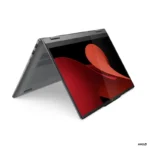
The Lenovo IdeaPad 5 2-in-1 excels at productivity and daily computing, effortlessly managing multiple tasks thanks to its AMD Ryzen 7 processor and 16GB of RAM. Its adaptable touchscreen and flexible 2-in-1 form factor also make it well-suited for creative projects and delivering presentations.
How much does the Lenovo IdeaPad 5 2-in-1 cost at YourShoppy?
The Lenovo IdeaPad 5 2-in-1 14AHP9 83DR007DIN is priced at ₹0.00 from YourShoppy. This particular model includes Windows 11 Home and Office Home 2024 pre-installed, adding considerable value for its users.
Can I buy the Lenovo IdeaPad 5 2-in-1 laptop in Bangalore?
Yes, the Lenovo IdeaPad 5 2-in-1 14AHP9 83DR007DIN is available for purchase at YourShoppy, a prominent laptop retailer located in Bangalore. It is recommended to visit their website for the latest availability information.
What type of warranty is included with the Lenovo IdeaPad 5 2-in-1?
A standard 1-year warranty is provided with the Lenovo IdeaPad 5 2-in-1 14AHP9 83DR007DIN. This warranty generally covers either courier or carry-in service, ensuring support for your new device.
Is it possible to increase the RAM on the Lenovo IdeaPad 5 2-in-1?
No, the RAM on the Lenovo IdeaPad 5 2-in-1 14AHP9 83DR007DIN cannot be upgraded. This is because it comes with 16GB of LPDDR5X RAM that is permanently soldered to the motherboard.
Related products
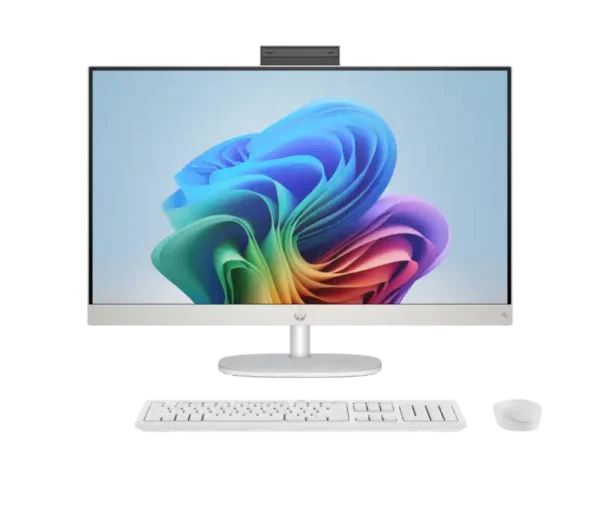

HP AiO 27- ct2073in PC BD2P4PA
- AMD Ryzen™ AI 7 350 (up to 5.0 GHz max boost clock, 8 cores, 16 threads)
- AMD Ryzen™ AI (50 NPU TOPS) for Next Gen AI Performance
- AMD Radeon™ Graphics
- 16GB DDR5-5600 MHz RAM (2 x 8GB)
- 1TB PCIe® NVMe™ M.2 SSD
- 27" (68.6 cm) FHD (1920 x 1080) IPS Three-sided Micro-edge Anti-glare 300 nits 99% sRGB
- Shell White
- Windows 11 Home Single Language
- HP 710 White Wireless Keyboard and Mouse Combo, MS Office Home 2024 included
- 1 Year Warranty
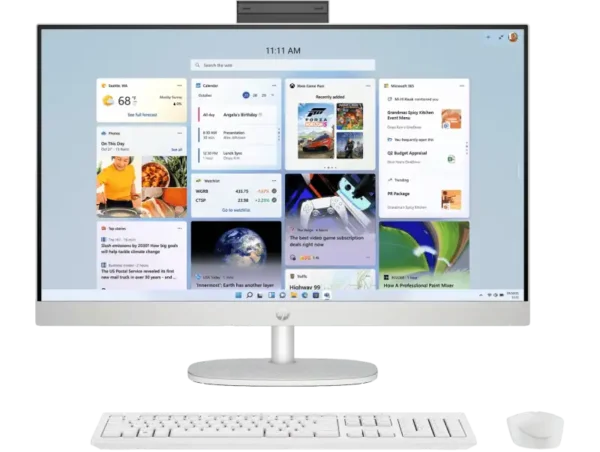

HP AiO 27-cr1009in PC BE1K8PA
- Intel® Core™ Ultra 7 155U (up to 4.8 GHz, 12 cores, 14 threads)
- Intel® Integrated Graphics (UMA)
- 16GB DDR5-5600 MHz RAM (2 x 8GB)
- 1TB PCIe® NVMe™ M.2 SSD
- 27" (68.6 cm) FHD (1920 x 1080) IPS Three-sided Micro-edge Anti-glare 300 nits 99% sRGB
- Shell White
- Windows 11 Home Single Language (in S mode)
- HP 710 White Wireless Keyboard and Mouse Combo, MS Office Home 2024 included
- 1 Year Onsite Warranty


HP AiO 27-cr1027in PC BD0A1PA
- Intel® Core™ Ultra 5 125U (up to 4.3 GHz, 12 cores, 14 threads)
- Intel® UHD Graphics
- 16GB DDR5-5600 MHz RAM (1 x 16GB)
- 1TB PCIe® NVMe™ M.2 SSD
- 27" (68.6 cm) FHD (1920 x 1080) IPS Three-sided Micro-edge Anti-glare 300 nits 99% sRGB
- Shell White
- Windows 11 Home
- HP 710 White Wireless Keyboard and Mouse Combo, MS Office Home 2024 included
- 1 Year Warranty
💠Why Buy From Us?
🛡️ Zero-Risk Buying: 100% Genuine, Brand-Authorized stock with GST Invoices for easy tax savings.
💰 Price Found it cheaper?: We’ll match the prices of Amazon,Flipkart and Local Store.
⚡ Bangalore Express: Free same-day delivery in Bangalore—faster than any "Prime" service.
🤝 Real Support: No bots. Call us at 9739221133 or visit our Koramangala store for expert advice and hands-on setup.
💵Exclusive Offers & Savings
📱Instant Savings: Save up to ₹5,000 instantly on UPI or NEFT payments!
💳 No-Cost EMI: Get it with Bajaj Finserv or Credit Cards.
🎁Free Gift
🎒 Exclusive YourShoppy.com Bonus: we include a Premium Laptop Bag FREE with every laptop purchase!


HP AiO 27-cr1078in PC BC9Z9PA
- Intel® Core™ Ultra 7 155U (up to 4.8 GHz, 12 cores, 14 threads)
- Intel® Integrated Graphics
- 32GB DDR5-5600 MHz RAM (2 x 16GB)
- 1TB PCIe® NVMe™ M.2 SSD
- 27" (68.6 cm) FHD (1920 x 1080) IPS Three-sided Micro-edge Anti-glare 300 nits 99% sRGB
- Shell White
- Windows 11 Home Single Language
- HP 710 White Wireless Keyboard and Mouse Combo, MS Office Home 2024 included
- 1 Year Warranty


HP AiO 22-dg0786in PC 9T9X1PA
- Intel® Core™ i3-N300 (up to 3.8 GHz with Intel® Turbo Boost Technology, 6 MB L3 cache, 8 cores, 8 threads)
- Intel® UHD Graphics (Integrated)
- 8 GB DDR5-4800 MHz RAM (1 x 8 GB)
- 512 GB PCIe® NVMe™ M.2 SSD
- 54.5 cm (21.5") diagonal, FHD (1920 x 1080), VA, Three-sided Micro-edge, Anti-glare, 250 nits
- HP True Vision 720p HD privacy camera with dual array digital microphones
- Realtek Wi-Fi 6 (2x2) and Bluetooth® 5.3 wireless card
- Windows 11 Home
- HP 510SP Cashmere White Wireless Keyboard and Mouse Combo included
- 1 Year Onsite Warranty

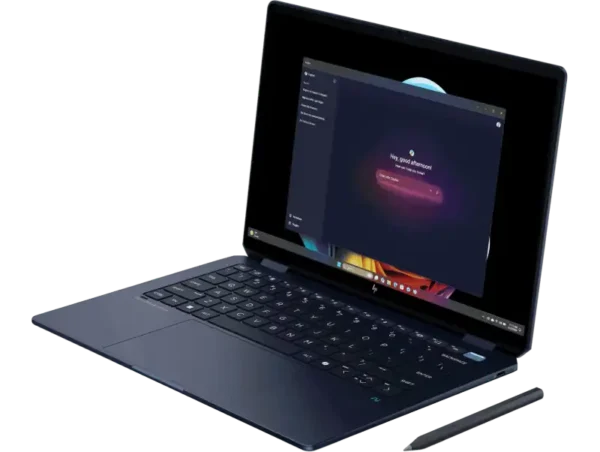
HP OmniBook Ultra Flip 14-fh0368TU [C88U8PA]
- Intel Core™ Ultra 9 288V (8C / 8T, up to 5.1GHz)
- 14" 3K (2880 × 1800) OLED, 48-120 Hz
- Intel® Arc™ Graphics
- 32 GB LPDDR5x-8533 MT/s (onboard) RAM
- 1 TB PCIe® Gen4 NVMe™ Performance M.2 SSD
- Next-Gen Windows + Office Home 2024
- 1-Year Warranty
💠Why Buy From Us?
🛡️ Zero-Risk Buying: 100% Genuine, Brand-Authorized stock with GST Invoices for easy tax savings.
💰 Price Found it cheaper?: We’ll match the prices of Amazon,Flipkart and Local Store.
⚡ Bangalore Express: Free same-day delivery in Bangalore—faster than any "Prime" service.
🤝 Real Support: No bots. Call us at 9739221133 or visit our Koramangala store for expert advice and hands-on setup.
💵Exclusive Offers & Savings
📱Instant Savings: Save up to ₹5,000 instantly on UPI or NEFT payments!
💳 No-Cost EMI: Get it with Bajaj Finserv or Credit Cards.
🎁Free Gift
🎒 Exclusive YourShoppy.com Bonus: we include a Premium Laptop Bag FREE with every laptop purchase!


HP OmniBook Ultra Flip 14-fh0369TU [C88TPPA]
- Intel Core™ Ultra 9 288V (8C / 8T, up to 5.1GHz)
- Intel® Arc™ Graphics
- 32 GB LPDDR5x-8533 MT/s (onboard) RAM
- 2 TB PCIe® Gen4 NVMe™ Performance M.2 SSD
- Next-Gen Windows + Office Home 2024
- 1-Year Warranty
💠Why Buy From Us?
🛡️ Zero-Risk Buying: 100% Genuine, Brand-Authorized stock with GST Invoices for easy tax savings.
💰 Price Found it cheaper?: We’ll match the prices of Amazon,Flipkart and Local Store.
⚡ Bangalore Express: Free same-day delivery in Bangalore—faster than any "Prime" service.
🤝 Real Support: No bots. Call us at 9739221133 or visit our Koramangala store for expert advice and hands-on setup.
💵Exclusive Offers & Savings
📱Instant Savings: Save up to ₹5,000 instantly on UPI or NEFT payments!
💳 No-Cost EMI: Get it with Bajaj Finserv or Credit Cards.
🎁Free Gift
🎒 Exclusive YourShoppy.com Bonus: we include a Premium Laptop Bag FREE with every laptop purchase!

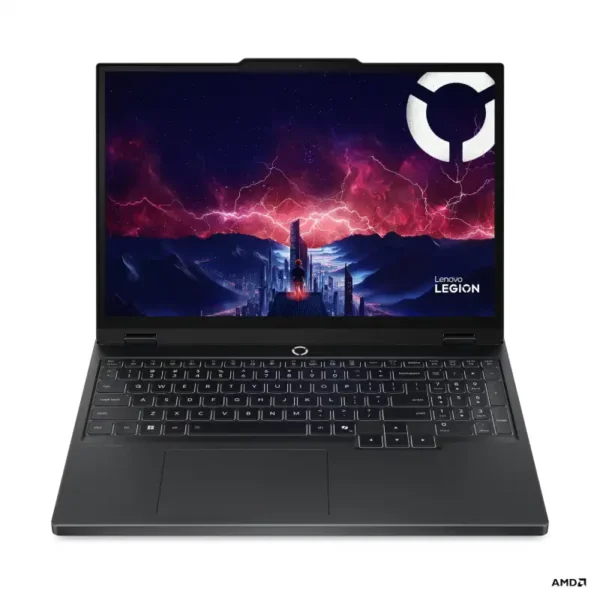
Lenovo Legion 5 15AHP10 83M00073IN
- AMD Ryzen™ 7 260 (8C / 16T, up to 5.1GHz)
- 15.3" WUXGA (1920x1200) IPS 300nits Anti-glare, 100% sRGB, 165Hz VRR, Dolby Vision®
- 1x 16GB SODIMM DDR5-5600
- 1TB SSD M.2 2242 PCIe® 4.0x4 NVMe®
- NVIDIA GeForce RTX™ 5050 8GB GDDR7, Boost Clock 2662MHz, TGP 115W, 440 AI TOPS
- Windows 11 Home + Microsoft Office Home 2024
- Eclipse Black
- 1-Year Legion Ultimate Support Warranty
💠Why Buy From Us?
🛡️ Zero-Risk Buying: 100% Genuine, Brand-Authorized stock with GST Invoices for easy tax savings.
💰 Price Found it cheaper?: We’ll match the prices of Amazon,Flipkart and Local Store.
⚡ Bangalore Express: Free same-day delivery in Bangalore—faster than any "Prime" service.
🤝 Real Support: No bots. Call us at 9739221133 or visit our Koramangala store for expert advice and hands-on setup.
🎯Brand-Specific Offers:Cashback,No Cost EMI ,Warranty Extensions Call us at 9739221133
💳 No-Cost EMI: Get it with Bajaj Finserv or Credit Cards.