
Dell desktops
Dell desktops at YourShoppy cover five types: the Dell 24 All-in-One for home, the Dell Pro Tower and Dell Pro 24 All-in-One for offices, the Dell Pro Max Tower T2 workstation, and the palm-sized Dell Pro Max GB10 AI desktop. Our Koramangala store lists 15 Dell desktop configurations across these lines.

Each type has its own page with the full listing, linked below. WhatsApp 97392 21133 or 98869 19198 with what you need the desktop for and how many units, and we’ll confirm stock and same-day delivery in Bangalore if you order by 2 PM.
Shop Dell desktops by type
Pick the Dell desktop type you need: Dell All-in-One PCs for home, Dell Pro desktops and Dell Pro All-in-One PCs for offices, Dell Pro Max workstations for design and engineering, and the Dell Pro Max GB10 for AI work. Every unit is an India model with Dell’s warranty.
Dell desktop types compared
Dell splits its desktops by who they are for. The Dell 24 All-in-One is a home PC with the screen built in. Dell Pro models are office desktops with Windows 11 Pro, Dell Pro Max is the workstation range with NVIDIA RTX options, and the Pro Max GB10 is a compact NVIDIA Grace Blackwell system for running AI models locally.
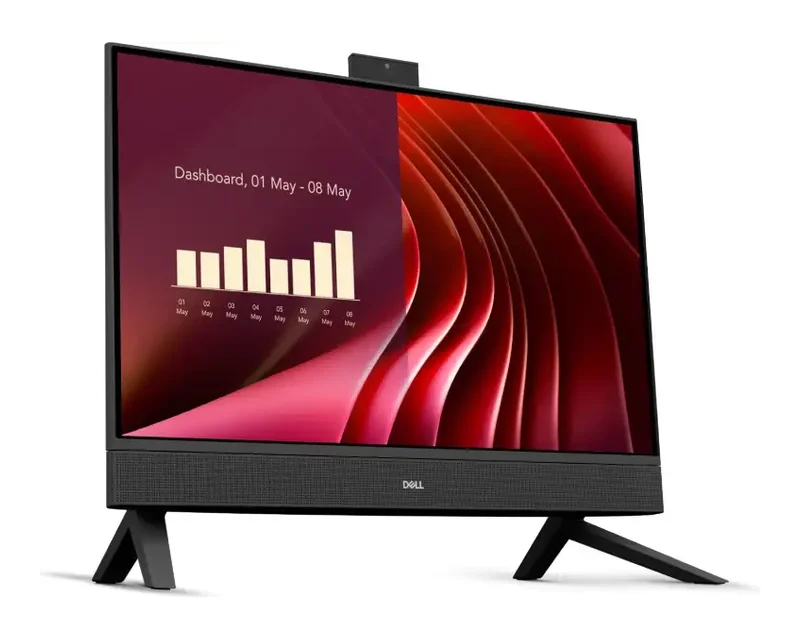
Dell 24 All-in-One
The Dell 24 All-in-One is a home and study PC with a 23.8-inch FHD screen and no tower to place.
- Intel Core 3 100U, 8GB DDR5, 512GB SSD
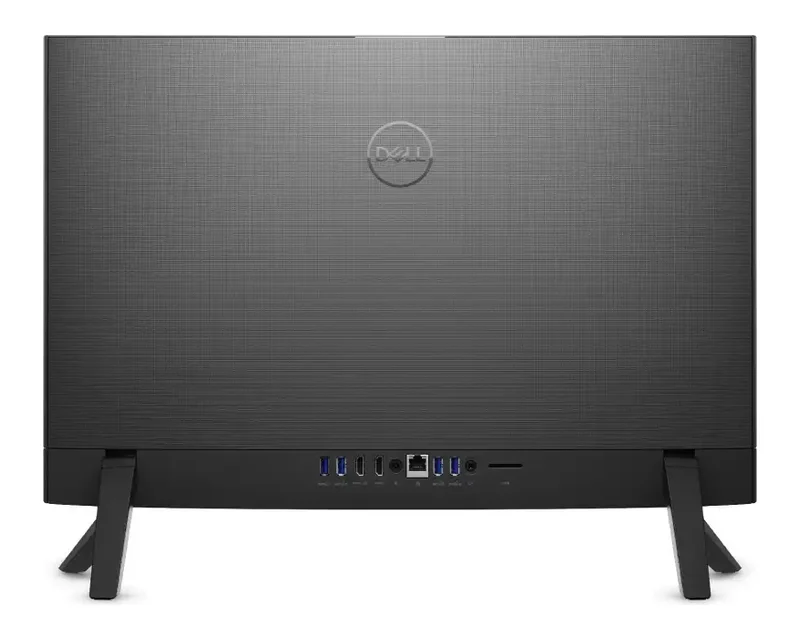
- HDMI-out, HDMI-in, SD card slot, Ethernet
- Wi-Fi 6E, Windows 11 Home and Office
With us: 1 model. See Dell All-in-One PCs.
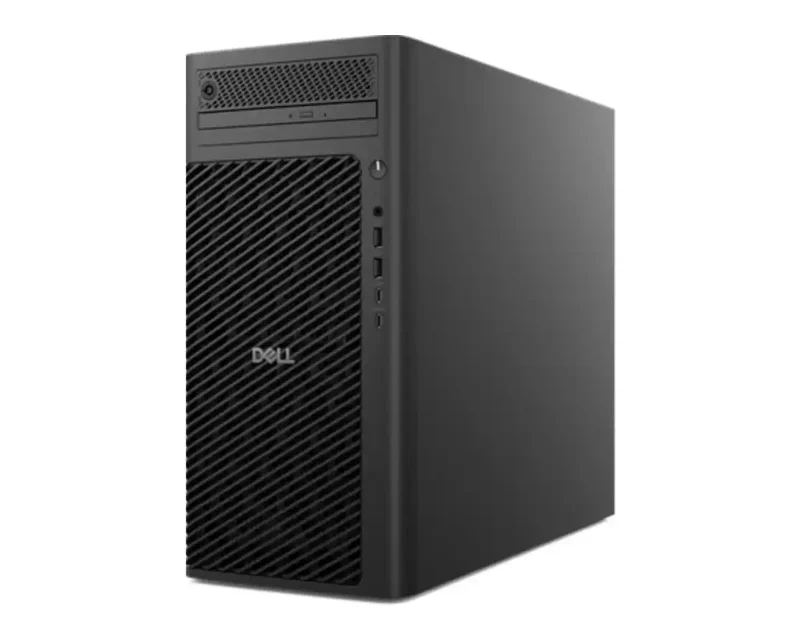
Dell Pro Max Tower T2
The Pro Max Tower T2 is Dell’s workstation tower for CAD, 3D, video and engineering software.
- Core Ultra 7 265, 265K, Ultra 9 285 or 285K
- Intel graphics or NVIDIA RTX A1000 8GB
- 16GB to 64GB DDR5, Windows 11 Pro or Ubuntu
With us: 7 models. See Dell Pro Max workstations.
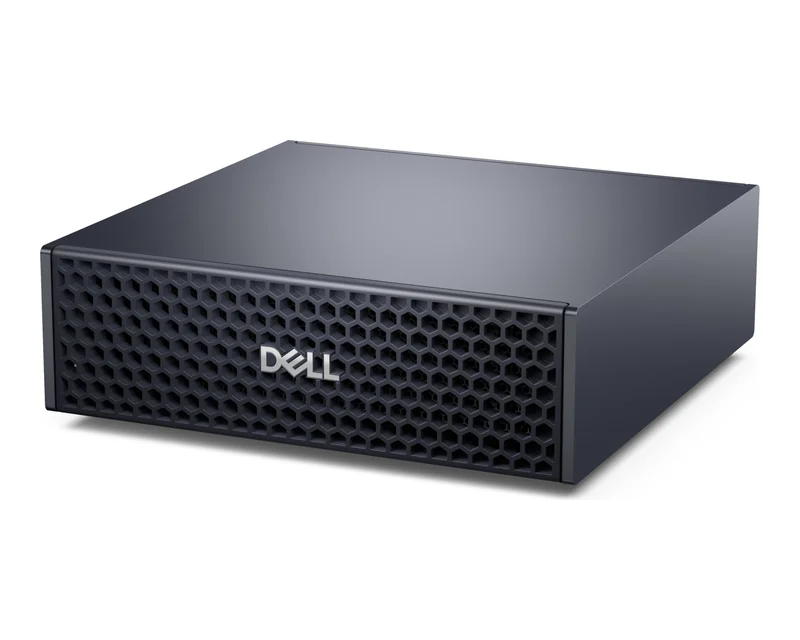
Dell Pro Max GB10
The Pro Max GB10 runs large AI models on your desk, with NVIDIA’s GB10 Grace Blackwell Superchip.
- 128GB LPDDR5X unified memory
- 2TB or 4TB SSD, NVIDIA DGX OS 7
- ConnectX-7 with 2 x 200G QSFP, 10GbE
With us: 3 models. See Dell Pro Max GB10.
Dell Pro office desktops
The Dell Pro Tower is the office tower in the range, and we list it with an Intel Core Ultra 7 265 on Windows 11 Pro or an AMD Ryzen 5 8500G on Ubuntu. Dell’s spec page for the Pro Tower QCT1250 lists HDMI 2.1, DisplayPort 1.4a, Gigabit Ethernet, Wi-Fi 6E and three PCIe slots. The Dell Pro 24 All-in-One comes with an Intel Core Ultra 5 vPro chip, 16GB and Windows 11 Pro for front desks and shared workstations.
Which Dell desktop should you buy?
Choose a Dell desktop by the work it will do. Homes and students get the most from the Dell 24 All-in-One, offices from the Dell Pro Tower or Pro 24 All-in-One, designers and engineers from the Pro Max Tower T2 with an RTX card, and AI developers from the Pro Max GB10.
| You use it for | Go for | Why |
|---|---|---|
| Home, study, video calls | Dell 24 All-in-One | 23.8-inch screen built in, Office included |
| Office desks, billing | Dell Pro Tower | Windows 11 Pro or Ubuntu, PCIe slots |
| Front desk, clean setup | Dell Pro 24 All-in-One | vPro chip, 16GB, screen and PC in one |
| CAD, 3D, video editing | Dell Pro Max Tower T2 | Up to Core Ultra 9 285K and RTX graphics |
| Running AI models locally | Dell Pro Max GB10 | 128GB unified memory, DGX OS 7 |
Ports and upgrade room
Dell desktops are easier to expand than laptops. Dell’s spec page for the Pro Max Tower T2 lists a PCIe Gen5 x16 slot for a full-height graphics card, three more PCIe slots, three M.2 SSD slots, four 3.5-inch drive bays and DDR5 memory up to 128GB, with power supplies from 360W to 1500W.


Good to know before you buy
A few Dell desktop details are easy to miss on a spec sheet, so check these points before you order.
- Ubuntu and FreeDOS models. Some Dell Pro and Pro Max listings ship with Ubuntu Linux or FreeDOS instead of Windows. Check the operating system on the product page.
- GB10 is not a Windows PC. The Pro Max GB10 runs NVIDIA DGX OS 7, a Linux system for AI development, not Windows.
- 8GB on entry towers. Our Dell Pro Tower and Dell 24 All-in-One listings start at 8GB. Ask us to add memory if you run many browser tabs or heavy software.
- Stock varies. Some Pro Max Tower T2 and GB10 units are out of stock at the moment. WhatsApp us and we’ll check the next delivery date.
Need a Dell desktop?
Tell us the type, the software you run and how many units you need. We’ll confirm stock and deliver in Bangalore the same day if you order by 2 PM.
Why buy a Dell desktop from YourShoppy in Bangalore
YourShoppy is a laptop and desktop store in 1st Block Koramangala, selling in Bangalore since 2010. You get an India-model Dell desktop with Dell’s warranty, a GST invoice that businesses can use for input tax credit, and same-day delivery across the city if you order by 2 PM.
- India-model Dell desktops with Dell’s warranty.
- Same-day delivery in Bangalore if you order by 2 PM, or pick up from the store.
- No-cost EMI on select cards and Bajaj Finserv. See our EMI page.
- Bulk orders for offices, labs and schools. See our bulk purchase page.
Adding screens? See Dell monitors. Comparing brands? See HP desktops and Lenovo commercial desktops.
Address: YourShoppy, 339, 1st Floor, 1st Main Cross, next to Essar Petrol Bunk, 1st Block Koramangala, Bengaluru 560034
Hours: Monday to Sunday, 10:30 AM to 9 PM
Phone: 97392 21133 · 98869 19198 · 080 4141 0072
WhatsApp: 97392 21133 or 98869 19198
Common questions
These are the questions Bangalore buyers ask us most about Dell desktops, from choosing a type to operating systems, upgrades and AI systems.
Where can I buy Dell desktops in Bangalore?
At YourShoppy, 339, 1st Floor, 1st Main Cross, 1st Block Koramangala. Same-day delivery in Bangalore if you order by 2 PM. WhatsApp 97392 21133 or 98869 19198.
Which Dell desktop is best for home use?
The Dell 24 All-in-One suits most homes, with a 23.8-inch FHD screen built in, HDMI-in, an SD card slot and Windows 11 Home with Office.
What is the difference between Dell Pro and Dell Pro Max desktops?
Dell Pro desktops are office PCs for everyday business software. Dell Pro Max is the workstation range, with faster Core Ultra 9 options, NVIDIA RTX graphics and more room for memory and drives.
Can I add a graphics card to a Dell Pro Max Tower T2?
Yes. Dell lists a full-height PCIe Gen5 x16 slot and power supplies up to 1500W on the Pro Max Tower T2, with NVIDIA RTX options from the A400 up to the RTX PRO 6000 Blackwell.
What is the Dell Pro Max GB10?
It is a compact AI desktop built on the NVIDIA GB10 Grace Blackwell Superchip, with 128GB of LPDDR5X memory, NVIDIA DGX OS 7 and ConnectX-7 networking for linking two units.
Do Dell desktops come with Windows?
Most do, with Windows 11 Home or Pro. Some Dell Pro and Pro Max listings ship with Ubuntu Linux or FreeDOS, and the GB10 runs NVIDIA DGX OS 7.
How much memory can a Dell Pro Max Tower T2 take?
Dell lists up to 128GB of DDR5 on the Pro Max Tower T2, with ECC memory as an option.