
Dell workstations
Dell workstations are Dell’s towers for CAD, 3D, video and engineering work. YourShoppy in 1st Block Koramangala lists seven Dell workstations in two families: the 15-litre Dell Pro Precision 7 T1 (PW7T1260) with Intel Core Ultra 7 or Ultra 9 and NVIDIA RTX A1000 options, and the bigger 32-litre Dell Pro Max Tower T2 (FCT2250).
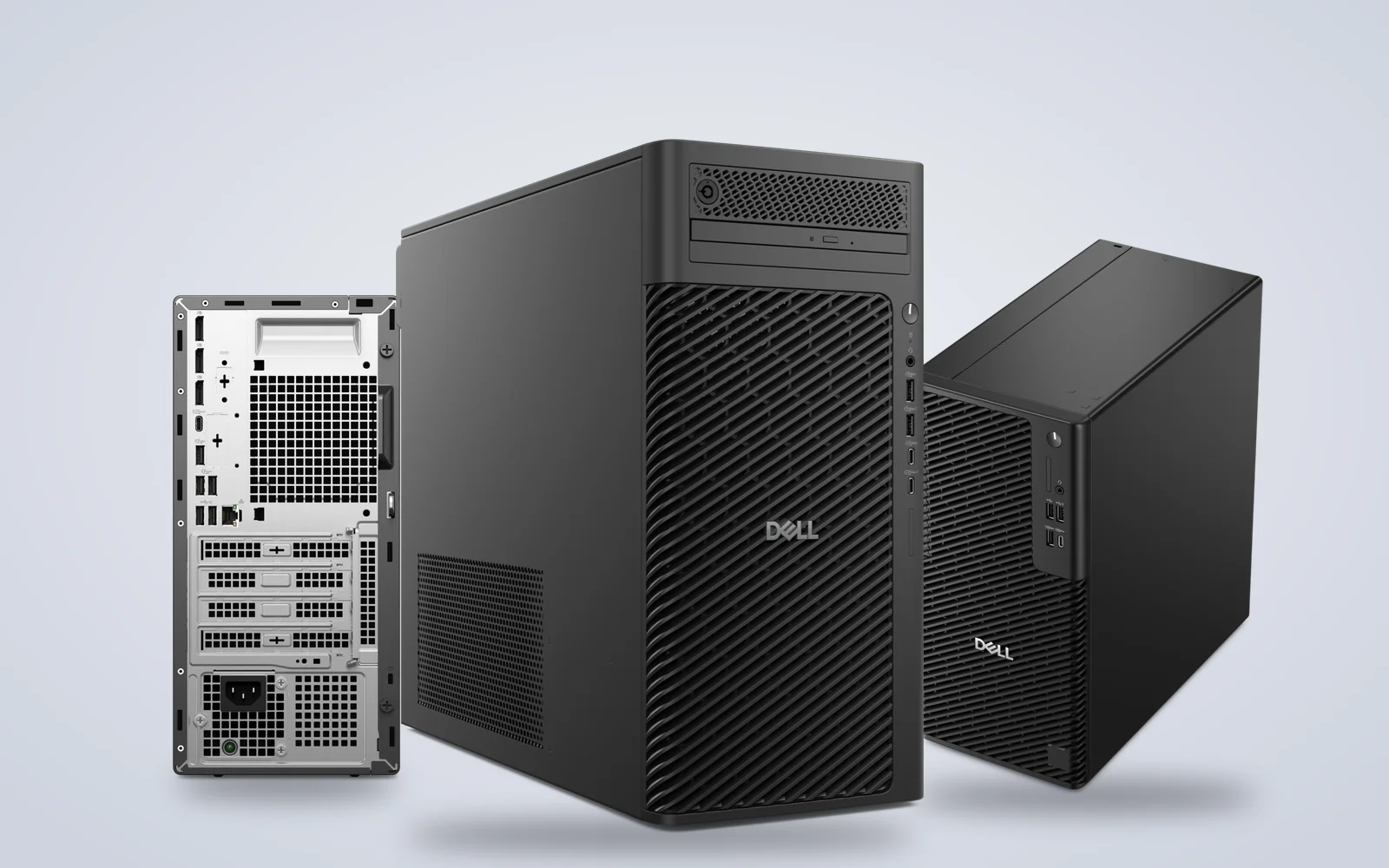
Pick the Pro Precision 7 T1 if you want a compact workstation with a professional NVIDIA card for AutoCAD, Revit or SolidWorks. Pick the Pro Max Tower T2 if you need room for a big GPU, more drives or a 125W K-series processor. WhatsApp 97392 21133 or 98869 19198 with the software you run, and we’ll confirm stock, a GST invoice and same-day delivery in Bangalore if you order by 2 PM.
Dell workstations in stock in Bangalore
Use the filter to narrow Dell workstations by processor, graphics, memory and operating system. Each listing shows the full configuration, including whether it ships with Windows 11 Pro, Ubuntu Linux or no operating system. Out-of-stock models are marked, so WhatsApp us and we’ll check the next available unit and delivery date for you.



The two Dell workstation families
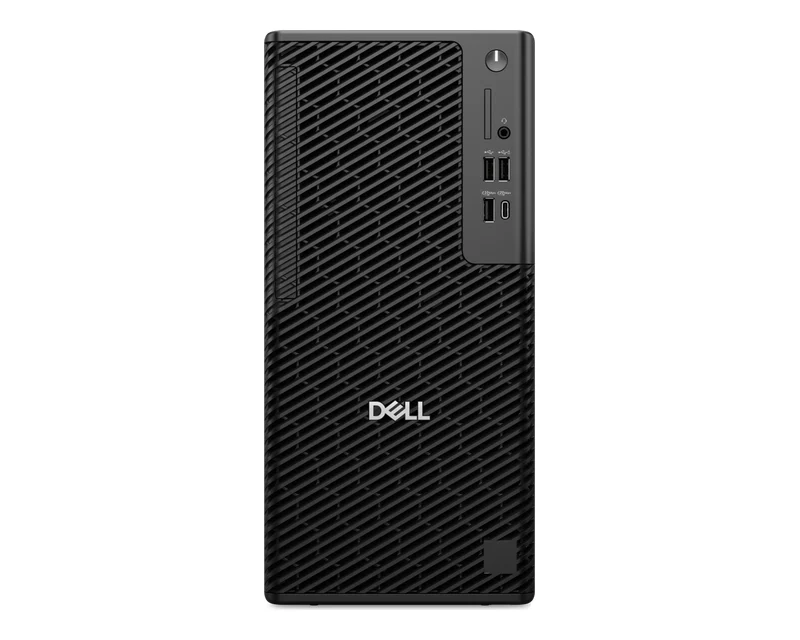
The two Dell workstation families we list differ mainly in size. The Dell Pro Precision 7 T1 is a 15-litre tower that takes graphics up to the NVIDIA RTX PRO 4000 Blackwell. The Dell Pro Max Tower T2 is a 32-litre tower with a PCIe Gen5 x16 slot, power supplies up to 1500W and graphics up to the RTX PRO 6000 Blackwell. Both take up to 128GB of DDR5.
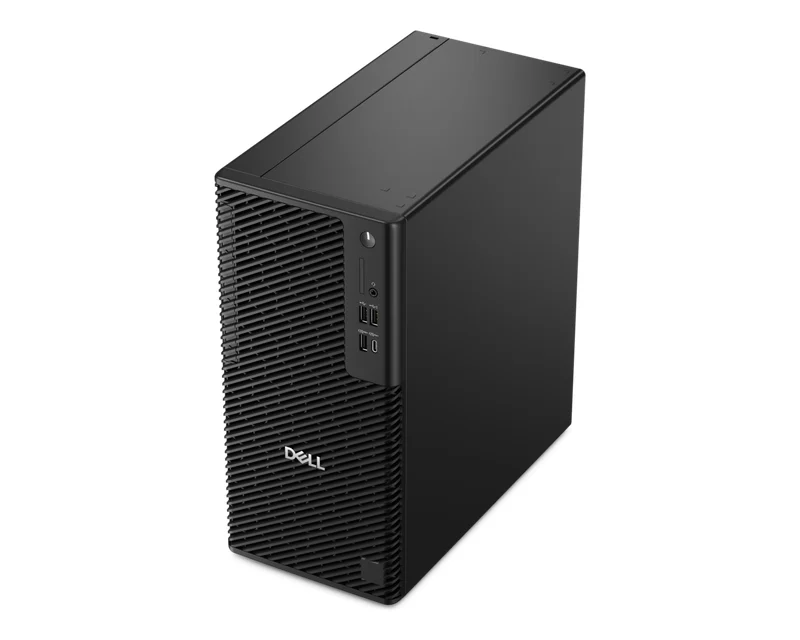
Dell Pro Precision 7 T1 (PW7T1260)
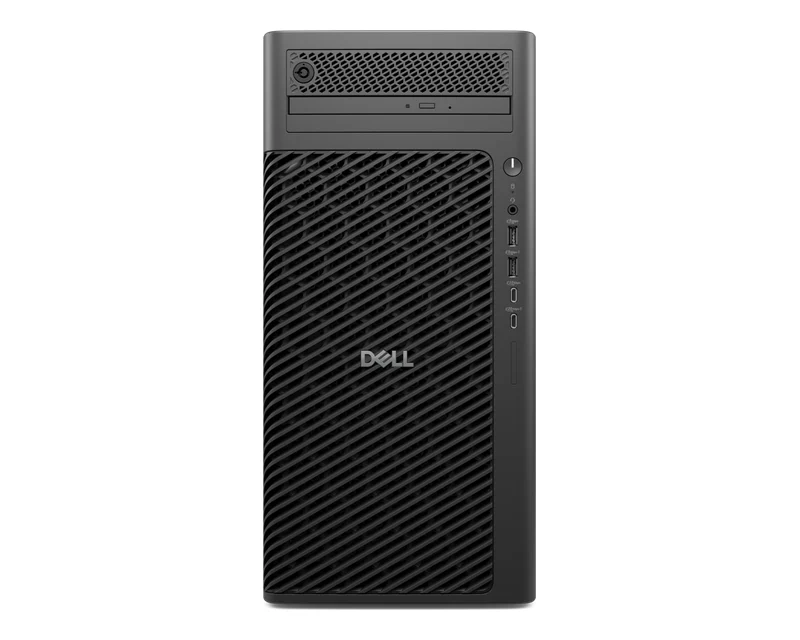
The compact Dell workstation, in a 15-litre tower that fits under most desks.
- Intel Core Ultra 7 265 or Ultra 9 285
- NVIDIA RTX A1000 8GB on two of our listings
- Up to 128GB DDR5, three M.2 SSD slots
With us: 4 configurations, Windows 11 Pro or no OS.
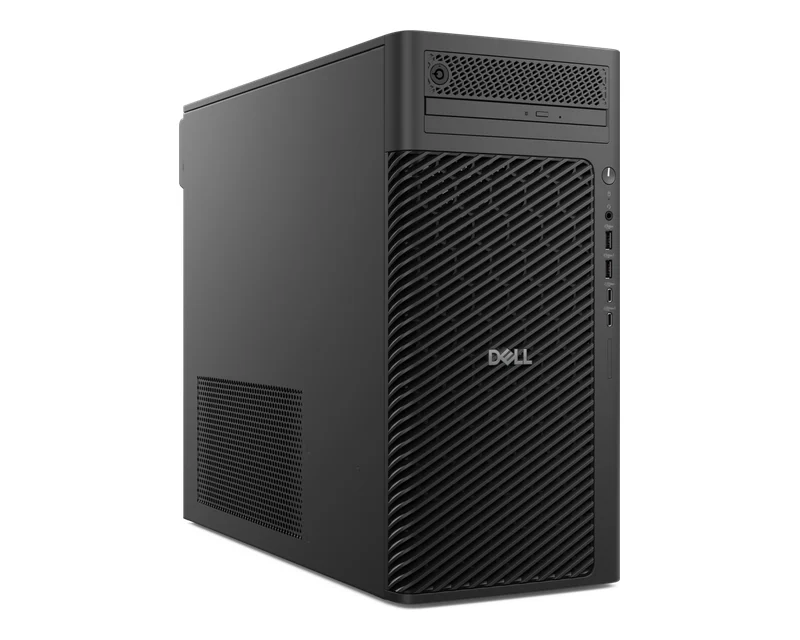
Dell Pro Max Tower T2 (FCT2250)
The expandable Dell workstation, in a 32-litre tower built for big GPUs and more drives.
- Core Ultra 7 265K, Ultra 9 285 or Ultra 9 285K
- PCIe Gen5 x16 slot, four 3.5-inch bays
- Up to 128GB DDR5, ECC options from Dell
With us: 3 configurations, Windows 11 Pro or Ubuntu.
Which Dell workstation should you buy?
Choose a Dell workstation by your software and how much you plan to add later. For 2D CAD and BIM, a Pro Precision 7 T1 with the RTX A1000 is enough. Developers and data teams on Linux can start with a Pro Max Tower T2 on Ubuntu. Heavy rendering, simulation or AI work belongs on the Pro Max Tower T2, which takes far bigger cards and power supplies.
| You use it for | Go for | Why |
|---|---|---|
| AutoCAD, Revit, SolidWorks | Pro Precision 7 T1 with RTX A1000 | Professional NVIDIA card in a 15L tower |
| Office, coding, no GPU yet | Pro Precision 7 T1, Ultra 7 265, DOS | Add your own Windows licence or Linux |
| Linux development, data work | Pro Max Tower T2 on Ubuntu | Ubuntu installed, 1TB SSD |
| Large models, simulation | Pro Max Tower T2, Ultra 9 285 with 64GB | 64GB DDR5, 1TB SSD plus 1TB HDD |
| Upgrading to a big GPU later | Pro Max Tower T2 | PCIe Gen5 x16, PSU options up to 1500W |
Dell Pro Precision 7 T1 ports and expansion
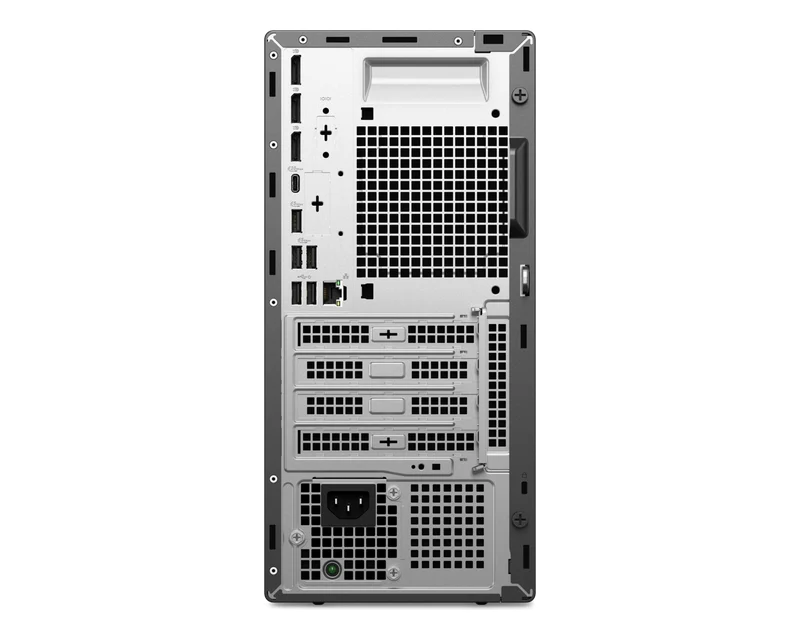
The Pro Precision 7 T1 has more ports than most office towers. Dell lists three DisplayPort 1.4a outputs, USB-C, USB-A and Gigabit Ethernet at the back, a 20Gbps USB-C port at the front, a PCIe Gen4 x16 graphics slot plus three more slots, three M.2 SSD slots and a bay for a 3.5-inch hard drive. An optional module adds Thunderbolt 4, HDMI 2.1 or 5GbE.
Dell workstation specs side by side
This table compares the two Dell workstation families on Dell’s published specs. The figures show what each platform supports, not what every configuration ships with, so check the product page for the exact processor, memory, graphics and storage in each unit, or WhatsApp us and we’ll confirm it.
| Spec | Pro Precision 7 T1 (PW7T1260) | Pro Max Tower T2 (FCT2250) |
|---|---|---|
| Size | 15L tower | 32L tower |
| Processors | Core Ultra 5, 7, 9 (65W) | Core Ultra 5, 7, 9 including K (125W) |
| Memory | Up to 128GB DDR5 | Up to 128GB DDR5, ECC option |
| Top graphics | NVIDIA RTX PRO 4000 Blackwell | NVIDIA RTX PRO 6000 Blackwell |
| Graphics slot | PCIe Gen4 x16 | PCIe Gen5 x16 |
| Power supply | Not listed on Dell’s spec page | 360W to 1500W, 80 Plus Platinum |
| Storage | 3 M.2 SSD, 1 x 3.5″ HDD | 3 M.2 SSD (one Gen5), 4 x 3.5″ bays |
| Video out | 3 x DisplayPort 1.4a | 2 x DisplayPort 1.4a, plus GPU outputs |
| OS options | Windows 11 Pro, Ubuntu, no OS | Windows 11 Pro, Ubuntu, Red Hat |
Good to know before you buy
A few Dell workstation details are easy to miss on a spec sheet. Check these four points before you order so the machine runs your software and connects to your screens on day one.
- Integrated graphics on some models. Two Pro Precision 7 T1 listings and two Pro Max Tower T2 listings use Intel graphics only. Pick an RTX A1000 model, or add a card later, for CAD and 3D work.
- DOS and Ubuntu models. These ship without Windows, so you’ll need your own Windows 11 Pro licence if your software needs Windows.
- Monitors not included. Plan for screens. See our Dell monitors, including UltraSharp models for design work.
- Memory slots. Both families take up to 128GB across four DDR5 slots, so 16GB and 32GB models can be upgraded later.
Need Dell workstations for your design team?
Tell us the software you run, how many units you need and your budget for graphics. We’ll suggest the right Dell workstation, send a GST quote and deliver in Bangalore the same day if you order by 2 PM.
Why buy Dell workstations from YourShoppy in Bangalore
YourShoppy is a laptop, desktop and workstation store in 1st Block Koramangala, selling in Bangalore since 2010. You get an India-model Dell workstation with Dell’s warranty, a GST invoice that businesses can use for input tax credit, and same-day delivery across the city if you order by 2 PM.
- India-model Dell workstations with Dell’s warranty.
- Same-day delivery in Bangalore if you order by 2 PM, or pick up from the store.
- No-cost EMI on select cards and Bajaj Finserv. See our EMI page.
- Bulk orders for design studios and engineering firms. See our bulk purchase page.
Comparing options? See Dell Pro desktops, all Dell desktops, HP Z workstations, Lenovo ThinkStation workstations or the Dell Pro Max with GB10 for AI work.
Address: YourShoppy, 339, 1st Floor, 1st Main Cross, next to Essar Petrol Bunk, 1st Block Koramangala, Bengaluru 560034
Hours: Monday to Sunday, 10:30 AM to 9 PM
Phone: 97392 21133 · 98869 19198 · 080 4141 0072
WhatsApp: 97392 21133 or 98869 19198
Common questions
These are the questions Bangalore offices and design studios ask us most about Dell workstations, from choosing a model to graphics, memory and operating systems.
Where can I buy Dell workstations in Bangalore?
At YourShoppy, 339, 1st Floor, 1st Main Cross, 1st Block Koramangala. Same-day delivery in Bangalore if you order by 2 PM, with a GST invoice. WhatsApp 97392 21133 or 98869 19198.
What is the difference between the Dell Pro Precision 7 T1 and the Dell Pro Max Tower T2?
The Pro Precision 7 T1 is a 15-litre tower with 65W Intel Core Ultra chips and graphics up to the NVIDIA RTX PRO 4000 Blackwell. The Pro Max Tower T2 is a 32-litre tower that adds 125W K-series chips, a PCIe Gen5 x16 slot, power supplies up to 1500W and graphics up to the RTX PRO 6000 Blackwell.
Which Dell workstation is good for AutoCAD and Revit?
A Dell Pro Precision 7 T1 with an NVIDIA RTX A1000 8GB card suits AutoCAD, Revit and SolidWorks. We list it with an Intel Core Ultra 7 265, Windows 11 Pro and 16GB or 32GB of DDR5.
How much RAM can a Dell workstation take?
Both the Pro Precision 7 T1 and the Pro Max Tower T2 take up to 128GB of DDR5 across four slots, according to Dell’s spec pages.
Do Dell workstations come with Windows?
Some do. Our listings include Windows 11 Pro models, Pro Precision 7 T1 units with no operating system, and Pro Max Tower T2 units with Ubuntu Linux.
Can I add a graphics card to a Dell workstation later?
Yes. The Pro Precision 7 T1 has a PCIe Gen4 x16 slot and the Pro Max Tower T2 a PCIe Gen5 x16 slot. On the Pro Max Tower T2, check the power supply in your configuration before adding a large card.