
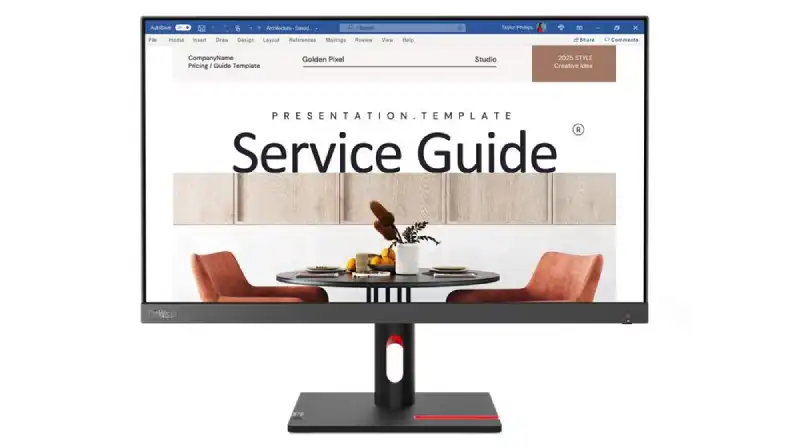
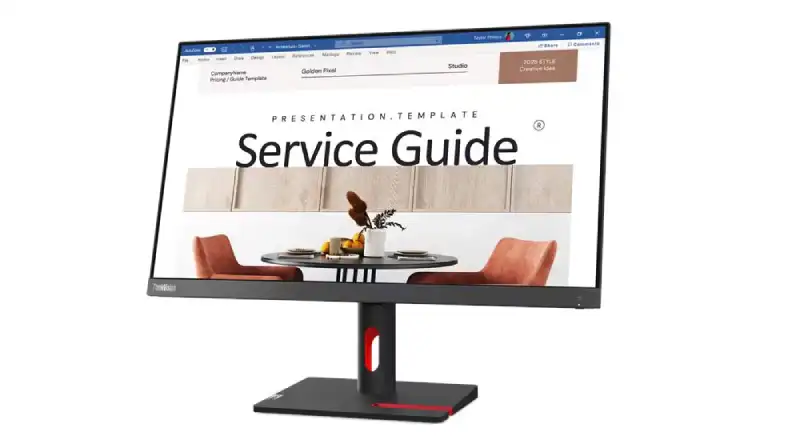
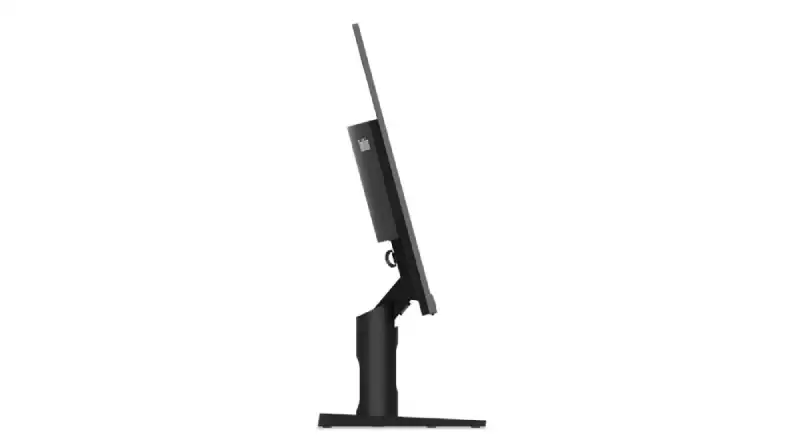
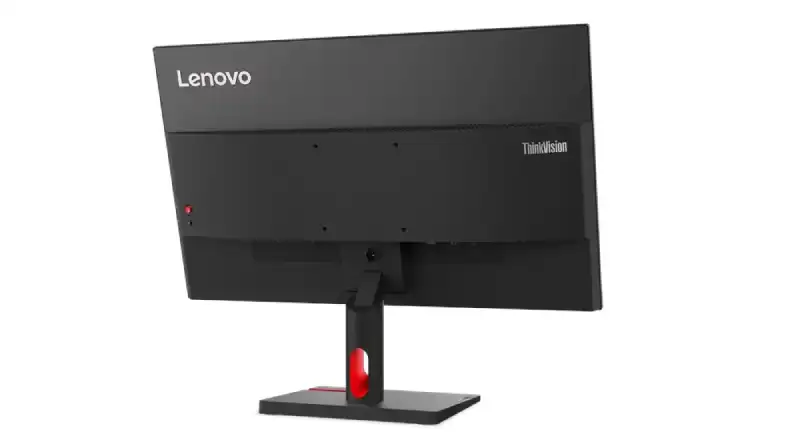
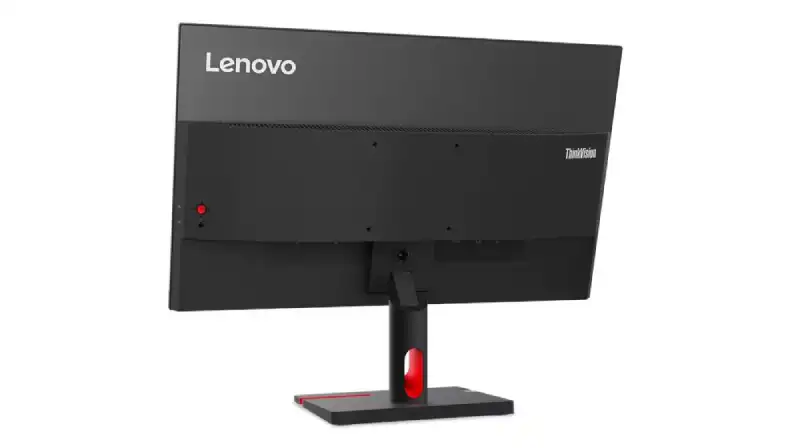
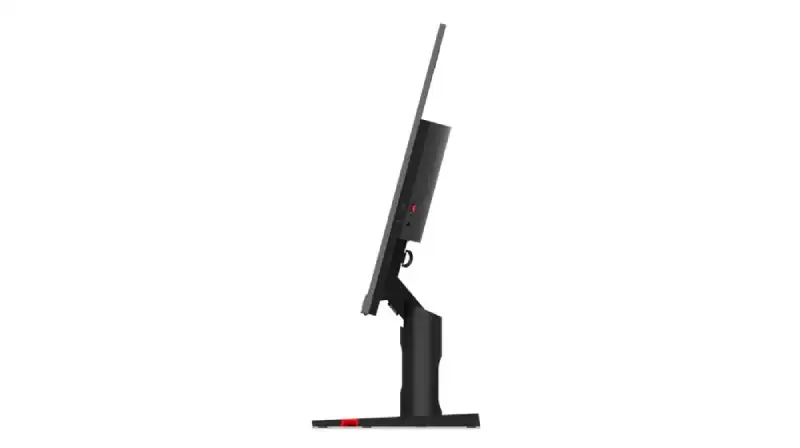
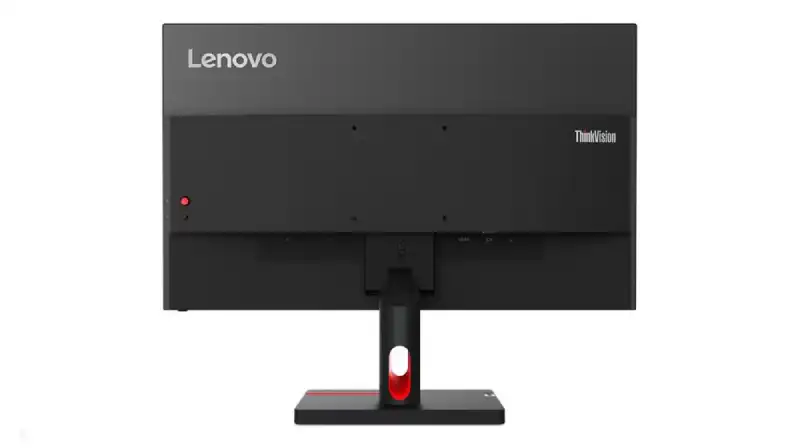
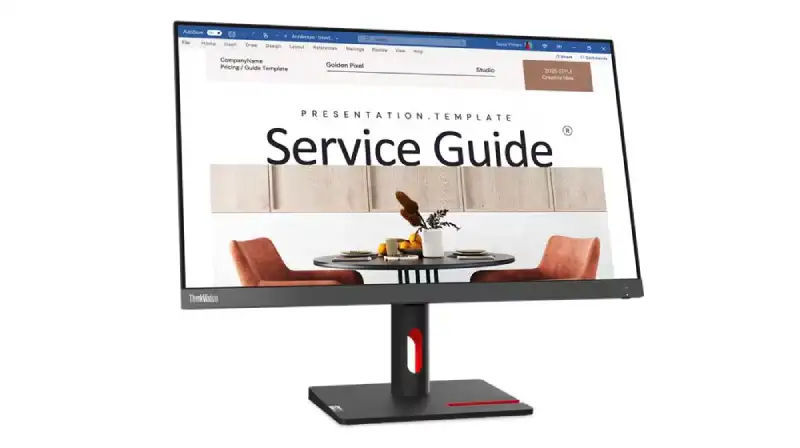
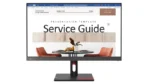
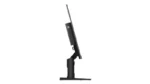
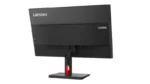
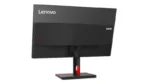
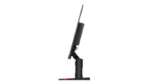
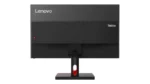

Lenovo ThinkVision S24i-30 Monitor
₹99,999.00
- 23.8″ In-Plane Switching Panel — 1920×1080 Resolution
- 100Hz Refresh Rate | 4ms (Extreme mode) / 6ms (Typical mode) Response Time
- 250 cd/m² Brightness | 1300:1 Contrast Ratio
- 99% sRGB Color Gamut
- Ports: 1x HDMI® 1.4, supports 1920×1080@100Hz, 1x VGA, 1x audio-out (3.5mm)
- Tilt Stand | Supports VESA mount 100 x 100 mm
- Raven Black / Storm Grey
- Eyesafe® Display 2.0 | TÜV Low Blue Light (Hardware solution) | TÜV Rheinland® Eye Comfort
- 3-Year Warranty
💠Why Buy From Us?
🛡️ Zero-Risk Buying: 100% Genuine, Brand-Authorized stock with GST Invoices for easy tax savings.
💰 Price Found it cheaper?: We’ll match the prices of Amazon,Flipkart and Local Store.
⚡ Bangalore Express: Free same-day delivery in Bangalore—faster than any "Prime" service.
🤝 Real Support: No bots. Call us at 9739221133 or visit our Koramangala store for expert advice and hands-on setup.
💵Exclusive Offers & Savings
📱Instant Savings: Save up to ₹5,000 instantly on UPI or NEFT payments!
💳 No-Cost EMI: Get it with Bajaj Finserv or Credit Cards.
🎁Free Gift
🎒 Exclusive YourShoppy.com Bonus: ✨ Free Cleaning Kit: Keep your screen fingerprint and dust-free with every unit!

ThinkVision S24i-30 Monitor — 63DEKAR3WW
The ThinkVision S24i-30 Monitor (63DEKAR3WW) is a business monitor built for comfortable, productive viewing in the office or at home.
Technical Specifications
| Performance | |
| Display Size | 23.8″ |
| View Area | 527×296 mm |
| Panel | In-Plane Switching |
| Backlight | WLED |
| Aspect Ratio | 16:9 |
| Resolution | 1920×1080 |
| Pixel Pitch | 0.275×0.275 mm |
| Dot / Pixel Per Inch | 93 dpi |
| View Angle (H / V) | 178° / 178° |
| Response Time | 4ms (Extreme mode) / 6ms (Typical mode) |
| Color Support | 16.7 Million |
| Refresh Rate | 100Hz |
| Brightness | 250 cd/m² |
| Contrast Ratio | 1300:1 |
| Color Gamut | 99% sRGB |
| Screen Surface Treatment | Anti-glare |
| Curvature | None |
| Camera | None |
| Microphone | None |
| Speakers | None |
| Power Consumption (Typical / Maximum) | 13.5W / 20.5W |
| Power Adapter | Integrated |
| Display & Design | |
| Stand | Tilt Stand |
| Case Color | Raven Black / Storm Grey |
| Side Bezel Width | 2.0 mm |
| Mounting | Supports VESA mount 100 x 100 mm |
| ThinkCentre M Series Support | Tiny, Nano Support |
| Dimensions (WxDxH) |
|
| Packaging Dimensions (WxDxH) | 592 x 110 x 415 mm (23.31 x 4.33 x 16.34 inches) |
| Weight |
|
| Packaging Weight | 5.7 kg (12.6 lbs) |
| Connectivity & Ports | |
| Rear Ports |
|
| Service | |
| Base Warranty | 3-year limited warranty |
| Certifications | |
| Environmental Certification | ENERGY STAR® Certified, TCO 9.0, TCO Edge 2.0, EPEAT™ Gold, RoHS, EU Energy Efficiency Level (Level-E) |
| Ergonomic Certification | Eyesafe® Display 2.0, TÜV Low Blue Light (Hardware solution), TÜV Rheinland® Eye Comfort |
| Sync Technology | None |
| Special Features | Natural Low Blue Light |
| Software | |
| Operating System | Support Windows® 10, Windows® 11 |
| Accessories | |
| In the Box |
|
| Product Information | |
| Machine Type | 63DE |
| Importer Details | |
| Importer | Lenovo India Pvt. Ltd. |
| Address | Ferns Icon, Level-2, Doddenakundi, Marathahalli, Outer Ring Road, Bangalore 560037 |
| Helpline | 1800-419-7555 |
| Support Email | support@lenovo.com |
| Monitor Panel Size | 23.8 inch |
|---|---|
| Monitor Type | Business |
| Monitor Panel Type | IPS |
| Monitor Refresh Rate | 100Hz |
| Monitor Resolution | FHD (1920 x 1080) |
| Monitor Series | Lenovo ThinkVision |
Lenovo Laptops & ThinkPad - Authorized Dealer Bangalore
Welcome to Bangalore's premier Lenovo destination. Yourshoppy is an authorized Lenovo dealer in Koramangala. We offer the complete ThinkPad, IdeaPad, and Legion range. Moreover, our prices are significantly lower than Amazon and Flipkart. Additionally, free accessories come with every purchase.Why Choose Us for Lenovo Products?
✅ Authorized Lenovo Partner – Genuine products with full warranty ✅ Unbeatable Prices – 20-30% lower than online stores ✅ Corporate Deals – Special bulk pricing for businesses ✅ Free Premium Bundle – Accessories worth ₹1000+ included ✅ Expert Guidance – Professional computing advice ✅ Immediate Stock – Same-day delivery available ✅ Extended Warranties – Additional protection optionsLenovo Business Laptops
ThinkPad Professional Series
ThinkPad represents business laptop excellence. These machines are legendary for durability. Furthermore, military-grade build quality ensures longevity. The keyboards are industry-leading. Moreover, enterprise security features protect data. Consequently, professionals worldwide trust ThinkPad.ThinkPad models include T-Series for mainstream business use. Meanwhile, X-Series offers ultra-portable options. Additionally, P-Series provides workstation power. Each series serves specific professional needs.ThinkBook Modern Business
ThinkBook targets modern professionals and SMBs. These laptops balance style with functionality. Moreover, pricing is more accessible. Performance remains excellent for business tasks. Therefore, small businesses prefer ThinkBook value.Lenovo Consumer Laptops
IdeaPad Versatile Series
IdeaPad laptops suit everyday computing needs. Students find them perfect for studies. Moreover, home users appreciate their versatility. These machines handle multimedia excellently. In addition, prices are highly competitive. Consequently, IdeaPad is extremely popular.Yoga Convertible Laptops
Yoga laptops offer 2-in-1 flexibility. The 360-degree hinges enable multiple modes. Furthermore, touchscreens support pen input. Creative professionals love this versatility. Additionally, premium build quality impresses users. Therefore, Yoga suits creative workflows.Lenovo Gaming Laptops
Legion Gaming Series
Legion laptops are purpose-built for gaming. Powerful NVIDIA or AMD graphics drive performance. Moreover, high refresh rate displays ensure smoothness. Advanced thermal management prevents throttling. Additionally, RGB lighting adds atmosphere. Consequently, gamers choose Legion for serious play.Legion models range from entry to extreme performance. Meanwhile, customizable TrueStrike keyboards enhance control. Furthermore, Coldfront cooling systems maintain temperatures. Each feature targets competitive gaming needs.Lenovo Desktop Computers
ThinkCentre Business Desktops
ThinkCentre desktops serve corporate environments excellently. They offer reliability and security. Moreover, various form factors suit different spaces. Tower, small form factor, and tiny options exist. Therefore, offices find perfect fits.IdeaCentre Home Desktops
IdeaCentre systems target home and multimedia use. All-in-One models save desk space. Additionally, tower options provide upgradeability. Gaming variants handle entertainment needs. Consequently, homes benefit from IdeaCentre versatility.ThinkStation Workstations
ThinkStation serves professional workloads. CAD, 3D modeling, and rendering run smoothly. Furthermore, ISV certifications ensure software compatibility. These systems handle demanding computational tasks. Therefore, professionals trust ThinkStation reliability.Lenovo Chromebook Options
Chromebooks provide fast, secure computing. They're ideal for education and basic needs. Moreover, cloud-based operation ensures safety. Boot times are extremely quick. In addition, management is simple for schools. Therefore, educational institutions prefer Chromebooks.Comprehensive Lenovo Repairs
Our Koramangala service center specializes in Lenovo repairs. Expert technicians handle all models professionally. Furthermore, genuine spare parts ensure quality.Lenovo Repair Services:
- ThinkPad screen and hinge repairs - Motherboard diagnostics and replacement - Battery and charging port fixes - Genuine ThinkPad keyboard replacements - RAM and SSD performance upgrades - BIOS recovery and system restoration - Water damage repair services - Corporate AMC service contractsOriginal Lenovo Parts & Accessories
We maintain extensive Lenovo parts inventory. Docking stations are always in stock. Moreover, chargers and batteries are available. Keyboards, including ThinkPad models, are ready. Additionally, monitors and peripherals are stocked. Consequently, repairs complete quickly.Why Our Lenovo Prices Win
Online marketplaces add significant markups. Retail stores charge overhead costs. In contrast, we're authorized direct dealers. Therefore, wholesale pricing benefits customers. Moreover, bulk corporate discounts are available.Your Price Advantages:
💼 B2B Pricing – Special corporate bulk rates 🎯 Price Match – We beat any competitor 📞 Expert Consultation – Personalized recommendations 🚀 Fast Delivery – Same-day across Bangalore 🔧 Free Setup – Complete installation includedVisit Our Koramangala Location
📍 Address: Yourshoppy , Koramangala, Bangalore 📞 Call/WhatsApp: +91 9739221133 🕒 Hours: 10:30 AM - 9:30 PM (7 Days) 💻 Website: yourshoppy.comGet Your Best Quote Today
Requesting your Lenovo quote is effortless. First, contact us via phone or WhatsApp. Next, share your specific requirements. Then, receive an instant competitive quote. Finally, compare with any other seller. We guarantee the lowest Bangalore price!Bangalore-Wide Delivery Network
We deliver throughout Bangalore metro quickly. Same-day service covers most areas. Additionally, free installation accompanies all purchases.Service Areas: Koramangala | HSR Layout | BTM Layout | Indiranagar | Whitefield | Electronic City | Marathahalli | Bellandur | Sarjapur | Bommanahalli | JP NagarDon't Overpay - Call Today!
Stop paying Amazon and Flipkart premiums. Instead, enjoy direct dealer wholesale pricing. Moreover, get free premium accessories included. Call 9739221133 now for your exclusive Lenovo quote!Frequently Asked Questions
Is the Lenovo ThinkVision S24i-30 monitor good for everyday office work in Bangalore?
Absolutely! This 23.8-inch IPS monitor offers a crisp FHD resolution and a 100Hz refresh rate, perfect for comfortable and productive daily tasks. Its Eyesafe 2.0 and TÜV Low Blue Light certifications ensure reduced eye strain during long work hours.
What's the difference between the 4ms and 6ms response times on this Lenovo monitor?
The 4ms 'Extreme mode' response time is ideal for fast-paced content or gaming, minimizing motion blur. The 'Typical mode' at 6ms is perfectly fine for general office use and everyday browsing, offering a good balance of performance and efficiency.
Can I connect this Lenovo ThinkVision S24i-30 to my existing laptop?
Yes, this monitor features HDMI 1.4 and VGA ports, making it compatible with most modern laptops. The HDMI port supports the full 1920x1080 resolution at 100Hz, ensuring a smooth visual experience.
How is the color accuracy on the Lenovo ThinkVision S24i-30 for graphic design?
With a 99% sRGB color gamut, this monitor provides excellent color accuracy for most design tasks. While it's a business monitor, the vibrant and precise colors make it suitable for professionals who need reliable color representation.
What is the warranty period for the Lenovo ThinkVision S24i-30 monitor?
You'll be pleased to know this Lenovo ThinkVision S24i-30 monitor comes with a comprehensive 3-Year Warranty. This provides peace of mind and ensures your investment is protected.
Is the Lenovo ThinkVision S24i-30 monitor available for purchase in Bangalore right now?
Yes, the Lenovo ThinkVision S24i-30 monitor is currently In stock at YourShoppy. You can get it for ₹99,999.00 and enjoy our fast delivery options across Bangalore.
Can I mount this Lenovo monitor on a wall or adjustable arm?
Certainly! This Lenovo ThinkVision S24i-30 monitor supports VESA mounting with a 100 x 100 mm pattern. This allows you to easily attach it to a wall mount or an adjustable monitor arm for a more customized setup.
How to set up your Lenovo ThinkVision S24i-30 Monitor
Unbox and Assemble the Monitor Stand
Carefully remove the monitor screen, stand base, and stand neck from the packaging. Attach the neck to the back of the monitor until it clicks securely into place. Then, fasten the base to the bottom of the neck using the built-in thumbscrew until it is firm.
Place the Monitor on Your Desk
Position the fully assembled monitor on a stable, flat surface like your desk. Ensure there is enough space around it for proper ventilation. Adjust the tilt angle for your preferred viewing position; the stand allows for vertical tilting to reduce glare and improve ergonomic comfort.
Connect the Video and Power Cables
Plug one end of the included HDMI cable into the monitor's HDMI port and the other end into your computer. Next, connect the power cord to the monitor's power input and plug the other end into a wall outlet. Ensure all connections are snug to prevent signal loss.
Power On and Select the Input
Press the power button, typically located on the bottom or front bezel of the monitor. If the screen doesn't automatically display your computer's output, use the monitor's menu buttons to navigate to the input source selection and choose HDMI to match your connection.
Adjust Display Settings for Best Performance
On your computer, go to display settings and confirm the resolution is set to 1920x1080 and the refresh rate is 100Hz for the smoothest motion. You can also use the monitor's on-screen menu to adjust brightness, contrast, and color modes to your personal preference.
Related products
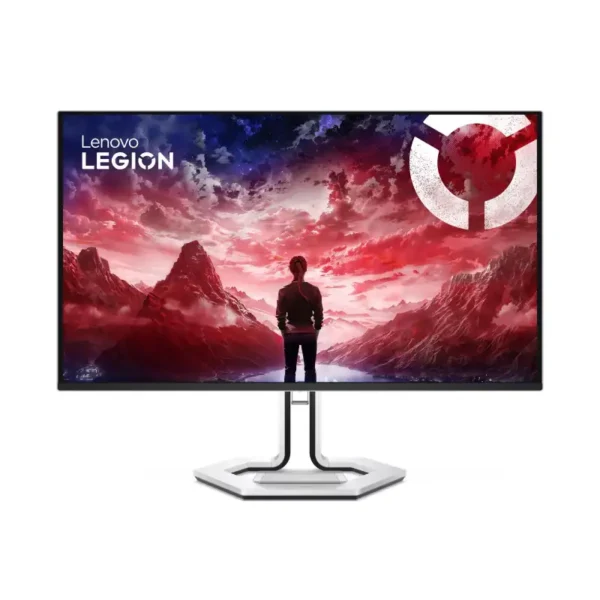
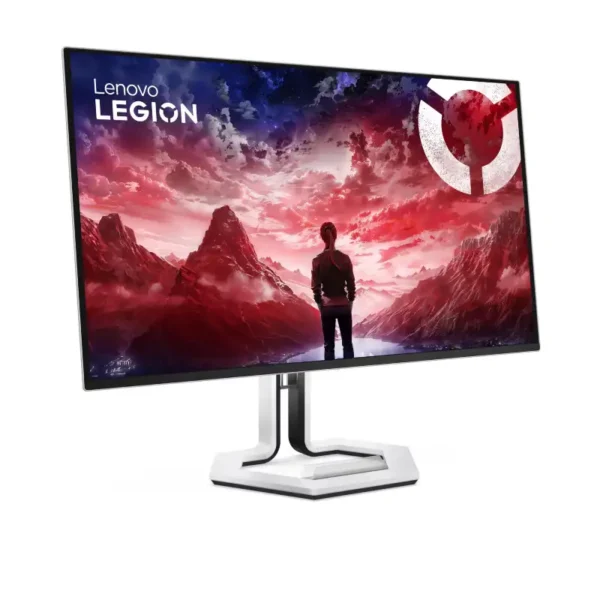
Legion Pro 32UD-10 Monitor (69D0GACBIN)
- 31.5" QD-OLED Panel — 3840x2160 Resolution
- 240Hz Refresh Rate | 0.03 ms (G to G) Response Time
- 250 cd/m² Brightness | 1500000:1 Contrast Ratio
- 99% sRGB, 99% DCI-P3 Color Gamut | VESA Adaptive Sync, AMD FreeSync™ Premium Pro
- DisplayHDR™ True Black 400
- Ports: 1x USB-C® (up to 15W PD), 3x USB-A, 2x HDMI® 2.1, 1x DisplayPort™ 1.4
- Tilt, Swivel, Height Adjust Stand | Supports VESA mount 100 x 100 mm
- Raven Black
- Eyesafe® Display 2.0 | TÜV Low Blue Light (Hardware solution)
- 3-Year Warranty
💠Why Buy From Us?
🛡️ Zero-Risk Buying: 100% Genuine, Brand-Authorized stock with GST Invoices for easy tax savings.
💰 Price Found it cheaper?: We’ll match the prices of Amazon,Flipkart and Local Store.
⚡ Bangalore Express: Free same-day delivery in Bangalore—faster than any "Prime" service.
🤝 Real Support: No bots. Call us at 9739221133 or visit our Koramangala store for expert advice and hands-on setup.
💵Exclusive Offers & Savings
📱Instant Savings: Save up to ₹5,000 instantly on UPI or NEFT payments!
💳 No-Cost EMI: Get it with Bajaj Finserv or Credit Cards.
🎁Free Gift
🎒 Exclusive YourShoppy.com Bonus: ✨ Free Cleaning Kit: Keep your screen fingerprint and dust-free with every unit!
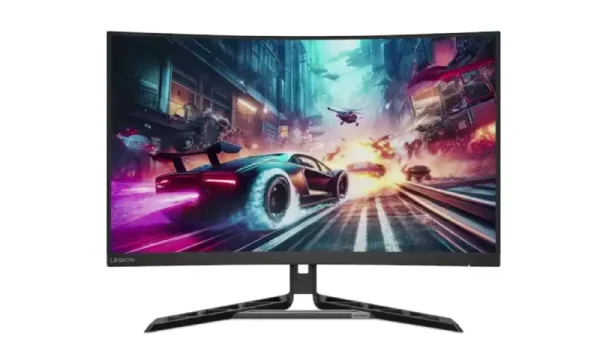
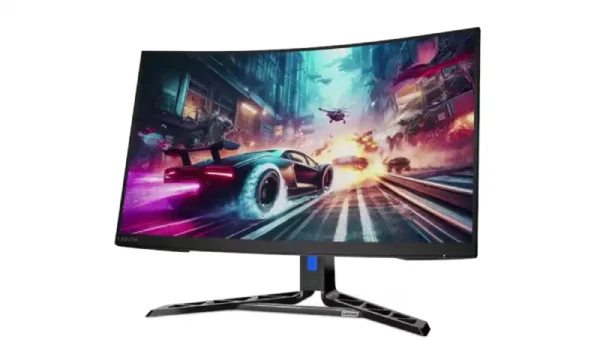
Legion R32qc-30 Monitor – 67C8GAC1IN
- 31.5" Vertical Alignment Panel — 2560x1440 Resolution
- 60Hz - 180Hz Refresh Rate | 0.5 ms (MPRT) / 1 ms (Level 4) / 2 ms (Level 3) / 4 ms (Level 2) / 6 ms (Level 1) / 7 ms (G to G) Response Time
- 350 cd/m² Brightness | 3000:1 Contrast Ratio
- 99% sRGB, 90% DCI-P3 Color Gamut | AMD FreeSync™, VESA Adaptive Sync
- Ports: 2x HDMI® 2.1 TMDS, 1x DisplayPort™ 1.4 (HBR2), 1x audio-out (3.5mm)
- Speakers: 3Wx2
- Camera: Modular Camera Support
- Tilt, Swivel, Height Adjust Stand | Supports VESA mount 100mm
- Raven Black
- TÜV Low Blue Light (Hardware solution) | TÜV Rheinland® Eye Comfort | Eyesafe® Display 2.0
- 3-Year Warranty
💠Why Buy From Us?
🛡️ Zero-Risk Buying: 100% Genuine, Brand-Authorized stock with GST Invoices for easy tax savings.
💰 Price Found it cheaper?: We’ll match the prices of Amazon,Flipkart and Local Store.
⚡ Bangalore Express: Free same-day delivery in Bangalore—faster than any "Prime" service.
🤝 Real Support: No bots. Call us at 9739221133 or visit our Koramangala store for expert advice and hands-on setup.
💵Exclusive Offers & Savings
📱Instant Savings: Save up to ₹5,000 instantly on UPI or NEFT payments!
💳 No-Cost EMI: Get it with Bajaj Finserv or Credit Cards.
🎁Free Gift
🎒 Exclusive YourShoppy.com Bonus: ✨ Free Cleaning Kit: Keep your screen fingerprint and dust-free with every unit!
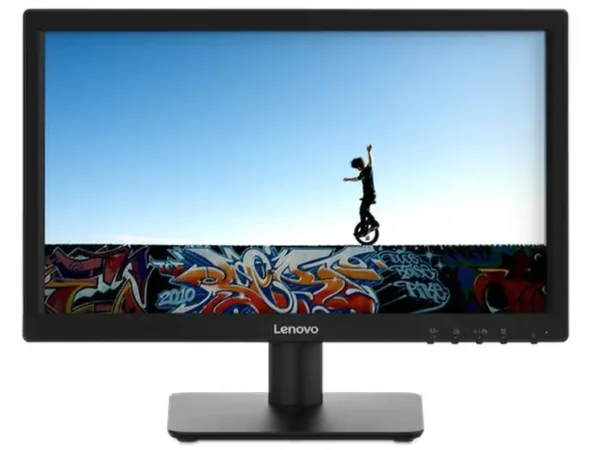
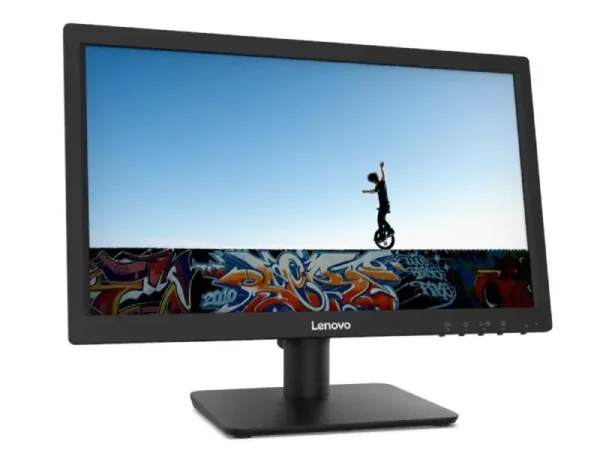
Lenovo C19-10 Monitor (66A0KAC6IN)
- 18.5" Twisted Nematic Panel — 1366x768 Resolution
- 60Hz Refresh Rate | 5ms Response Time
- 200 cd/m² Brightness | 600:1 Contrast Ratio
- 72% NTSC Color Gamut
- Ports: 1x HDMI® 1.4, 1x VGA, 1x Power Connector
- Tilt Stand | Supports VESA mount 100mm
- Black
- TÜV Rheinland® Low Blue Light
- 3-Year Warranty
💠Why Buy From Us?
🛡️ Zero-Risk Buying: 100% Genuine, Brand-Authorized stock with GST Invoices for easy tax savings.
💰 Price Found it cheaper?: We’ll match the prices of Amazon,Flipkart and Local Store.
⚡ Bangalore Express: Free same-day delivery in Bangalore—faster than any "Prime" service.
🤝 Real Support: No bots. Call us at 9739221133 or visit our Koramangala store for expert advice and hands-on setup.
💵Exclusive Offers & Savings
📱Instant Savings: Save up to ₹5,000 instantly on UPI or NEFT payments!
💳 No-Cost EMI: Get it with Bajaj Finserv or Credit Cards.
🎁Free Gift
🎒 Exclusive YourShoppy.com Bonus: ✨ Free Cleaning Kit: Keep your screen fingerprint and dust-free with every unit!
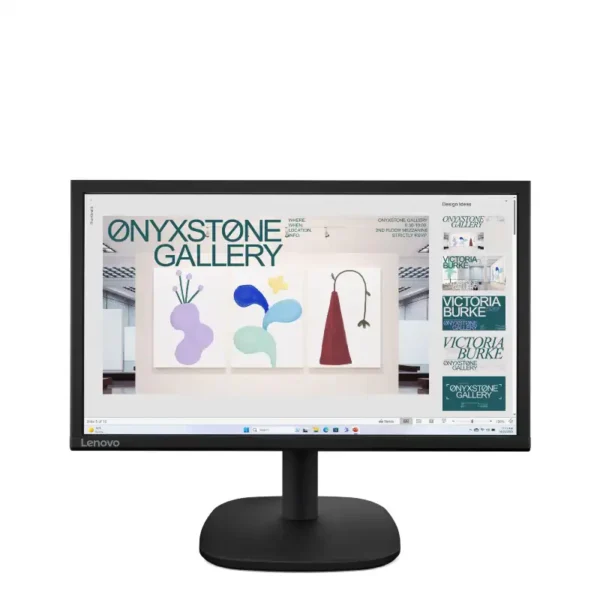
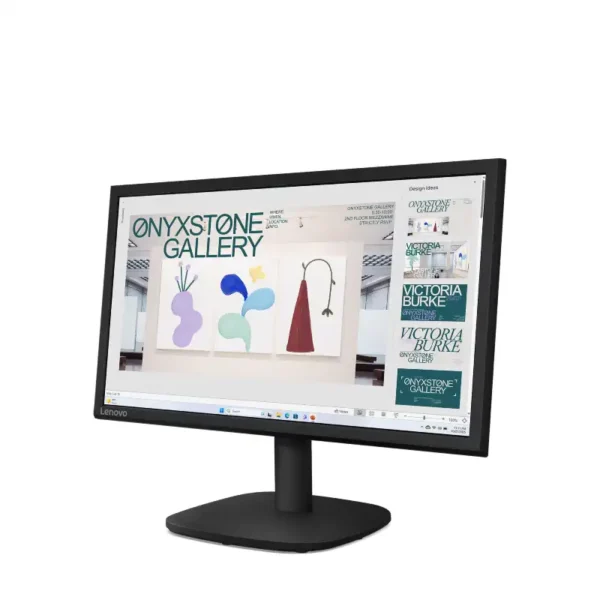
Lenovo C20-39 Monitor
- 19.5" Twisted Nematic Panel — 1600x900 Resolution
- 60Hz Refresh Rate | 5ms (G to G) Response Time
- 250 cd/m² Brightness | 1000:1 Contrast Ratio
- 72% NTSC Color Gamut
- Ports: 1x HDMI® 1.4, 1x VGA, 1x audio-out (3.5mm)
- Tilt | Supports VESA mount 100mm
- Black
- TÜV Low Blue Light | TÜV Low Blue Light (Hardware solution) | TÜV Rheinland® Flicker Free | TÜV Rheinland® Eye Comfort 3 Stars
- 3-Year Warranty
💠Why Buy From Us?
🛡️ Zero-Risk Buying: 100% Genuine, Brand-Authorized stock with GST Invoices for easy tax savings.
💰 Price Found it cheaper?: We’ll match the prices of Amazon,Flipkart and Local Store.
⚡ Bangalore Express: Free same-day delivery in Bangalore—faster than any "Prime" service.
🤝 Real Support: No bots. Call us at 9739221133 or visit our Koramangala store for expert advice and hands-on setup.
💵Exclusive Offers & Savings
📱Instant Savings: Save up to ₹5,000 instantly on UPI or NEFT payments!
💳 No-Cost EMI: Get it with Bajaj Finserv or Credit Cards.
🎁Free Gift
🎒 Exclusive YourShoppy.com Bonus: ✨ Free Cleaning Kit: Keep your screen fingerprint and dust-free with every unit!
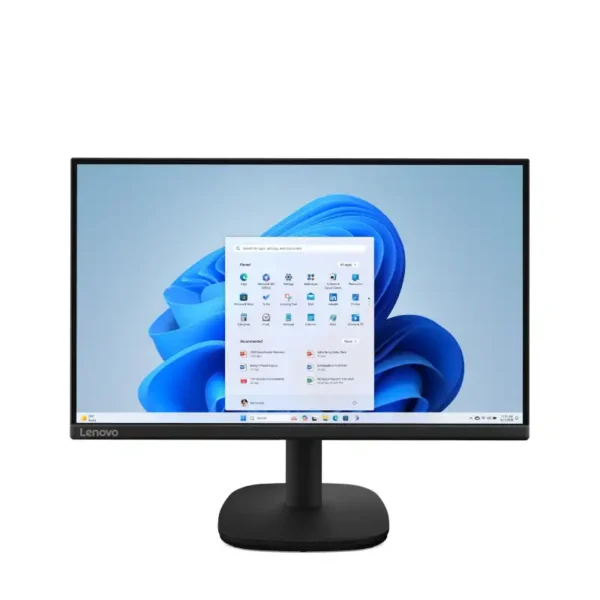
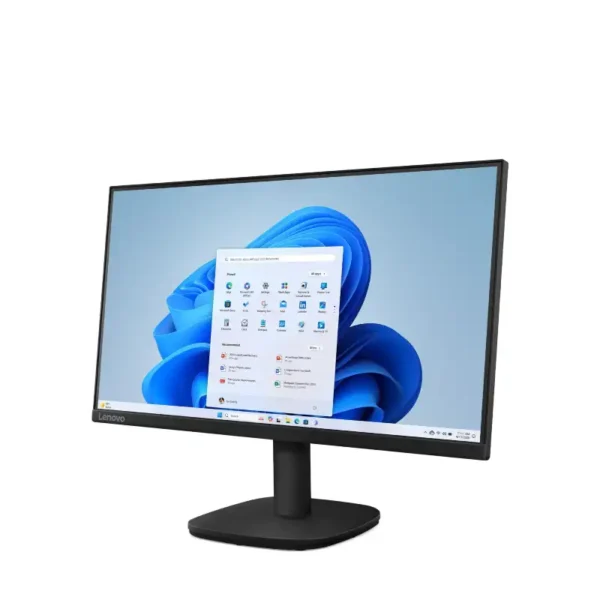
Lenovo C22-39 Monitor
- 21.5" In-Plane Switching Panel — 1920x1080 Resolution
- 48Hz - 75Hz for HDMI®, 48Hz - 60Hz for VGA Refresh Rate | 4 ms (Extreme Mode) / 6 ms (Normal Mode) / 20 ms (G to G) Response Time
- 250 cd/m² Brightness | 1300:1 Contrast Ratio
- 72% NTSC Color Gamut
- Ports: 1x HDMI® 1.4, 1x VGA, 1x audio-out (3.5mm)
- Tilt | Supports VESA mount 100mm
- Black
- TÜV Low Blue Light | TÜV Low Blue Light (Hardware solution) | TÜV Rheinland® Flicker Free | TÜV Rheinland® Eye Comfort 3 Stars
- 3-Year Warranty
💠Why Buy From Us?
🛡️ Zero-Risk Buying: 100% Genuine, Brand-Authorized stock with GST Invoices for easy tax savings.
💰 Price Found it cheaper?: We’ll match the prices of Amazon,Flipkart and Local Store.
⚡ Bangalore Express: Free same-day delivery in Bangalore—faster than any "Prime" service.
🤝 Real Support: No bots. Call us at 9739221133 or visit our Koramangala store for expert advice and hands-on setup.
💵Exclusive Offers & Savings
📱Instant Savings: Save up to ₹5,000 instantly on UPI or NEFT payments!
💳 No-Cost EMI: Get it with Bajaj Finserv or Credit Cards.
🎁Free Gift
🎒 Exclusive YourShoppy.com Bonus: ✨ Free Cleaning Kit: Keep your screen fingerprint and dust-free with every unit!
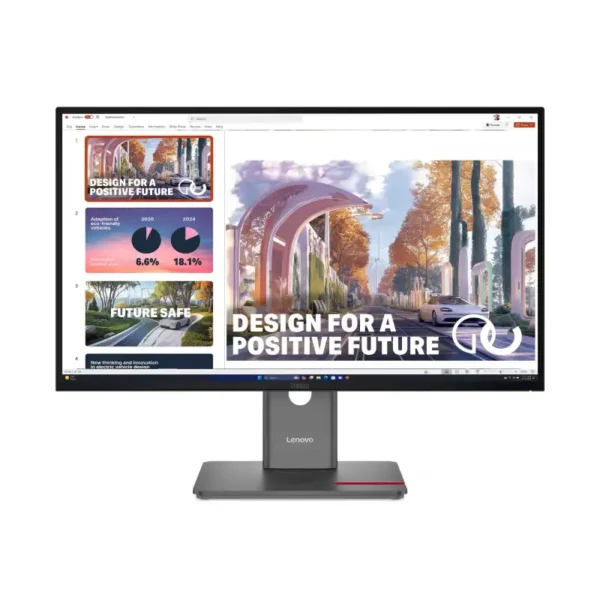
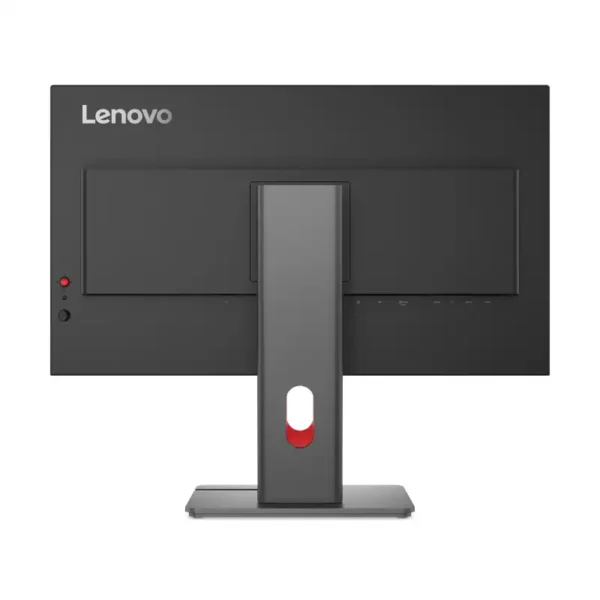
Lenovo ThinkVision P27QD-40 Monitor
- 27" In-Plane Switching Panel — 2560x1440 Resolution
- 24Hz - 120Hz Refresh Rate | 4ms GtG (Extreme mode) / 6ms GtG (Typical mode) Response Time
- 350 cd/m² Brightness | 1500:1 Contrast Ratio
- 98% DCI-P3, 99% sRGB, 99% BT.709 Color Gamut
- Ports: 1x USB-B, 2x USB-C® (up to 140W PD), 4x USB-A, 1x HDMI® 2.1, 2x DisplayPort™ 1.4, 1x 2.5GbE RJ-45
- Speakers: Modular Speaker Support
- Camera: Modular Camera Support
- Tilt, Swivel, Pivot, Height Adjust Stand | Supports VESA mount 100mm
- Raven Black
- TÜV Rheinland® Eye Comfort (5 Stars) | Eyesafe® Display 2.0 | TÜV Rheinland® Low Blue Light (Hardware Solution)
- 3-Year Warranty
💠Why Buy From Us?
🛡️ Zero-Risk Buying: 100% Genuine, Brand-Authorized stock with GST Invoices for easy tax savings.
💰 Price Found it cheaper?: We’ll match the prices of Amazon,Flipkart and Local Store.
⚡ Bangalore Express: Free same-day delivery in Bangalore—faster than any "Prime" service.
🤝 Real Support: No bots. Call us at 9739221133 or visit our Koramangala store for expert advice and hands-on setup.
💵Exclusive Offers & Savings
📱Instant Savings: Save up to ₹5,000 instantly on UPI or NEFT payments!
💳 No-Cost EMI: Get it with Bajaj Finserv or Credit Cards.
🎁Free Gift
🎒 Exclusive YourShoppy.com Bonus: ✨ Free Cleaning Kit: Keep your screen fingerprint and dust-free with every unit!
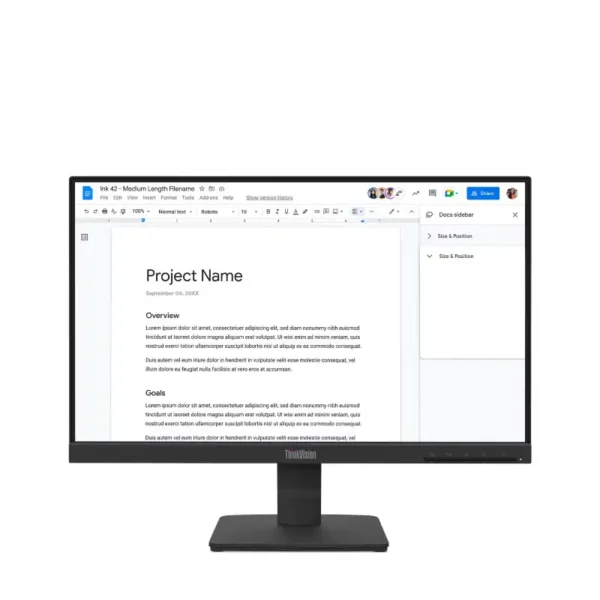
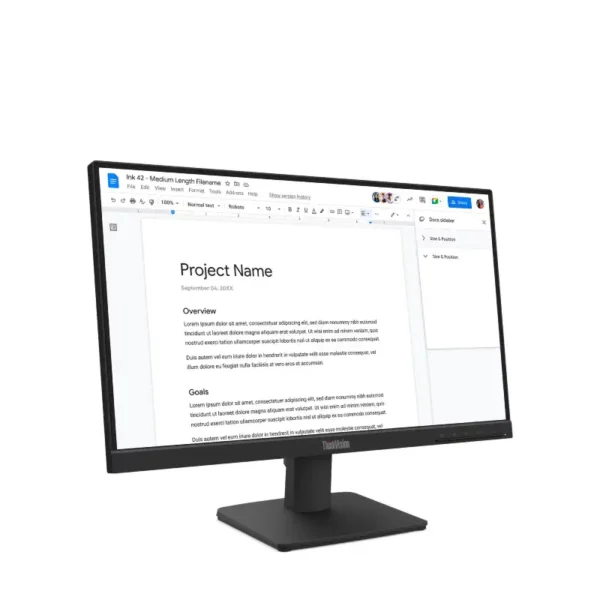
Lenovo ThinkVision S22-4e Monitor
- 21.5" In-Plane Switching Panel — 1920x1080 Resolution
- 100Hz Refresh Rate | 4ms GtG (Extreme mode) / 6ms GtG (Typical mode) Response Time
- 250 cd/m² Brightness | 1300:1 Contrast Ratio
- 99% sRGB Color Gamut
- Ports: 1x HDMI® 1.4b, supports 1920x1080@100Hz, 1x VGA
- Tilt Stand | Supports VESA mount 100 x 100 mm
- Raven Black
- TÜV Low Blue Light (Hardware solution) | TÜV Rheinland® Flicker Free
- 3-Year Warranty
💠Why Buy From Us?
🛡️ Zero-Risk Buying: 100% Genuine, Brand-Authorized stock with GST Invoices for easy tax savings.
💰 Price Found it cheaper?: We’ll match the prices of Amazon,Flipkart and Local Store.
⚡ Bangalore Express: Free same-day delivery in Bangalore—faster than any "Prime" service.
🤝 Real Support: No bots. Call us at 9739221133 or visit our Koramangala store for expert advice and hands-on setup.
💵Exclusive Offers & Savings
📱Instant Savings: Save up to ₹5,000 instantly on UPI or NEFT payments!
💳 No-Cost EMI: Get it with Bajaj Finserv or Credit Cards.
🎁Free Gift
🎒 Exclusive YourShoppy.com Bonus: ✨ Free Cleaning Kit: Keep your screen fingerprint and dust-free with every unit!

 Toner Cartridges