
All laptops by brand — Acer, ASUS, Dell, HP, Lenovo

Laptops
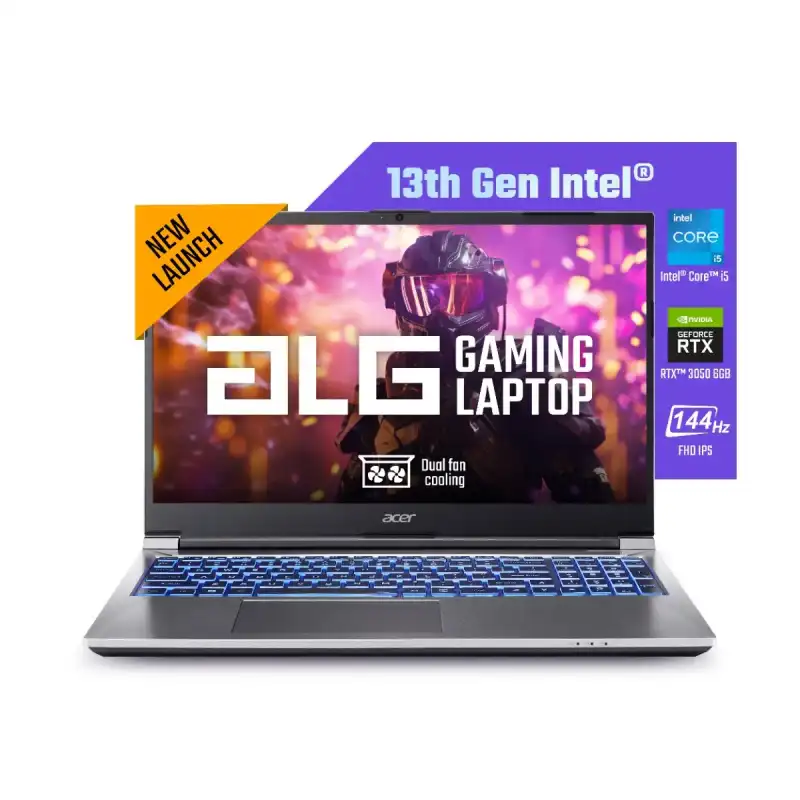
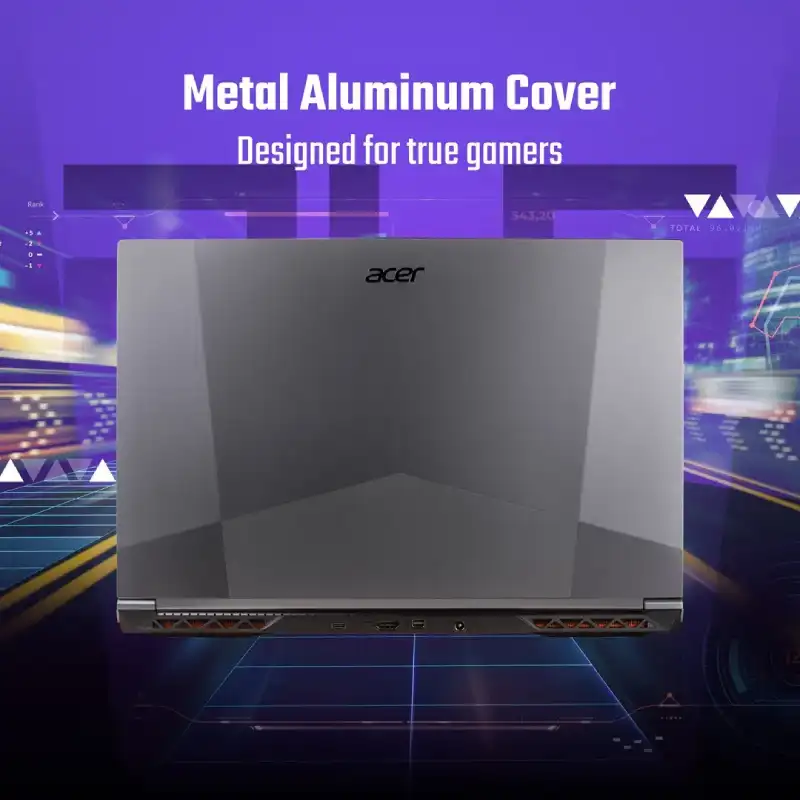
Acer ALG Gaming 15 Laptop, Intel Core i5-13500H, 16GB RAM, 512GB SSD, NVIDIA RTX 3050, 15.6″ FHD 144Hz
- Intel Core i5-13500H Processor (2.6 GHz up to 4.7 GHz, 12C/16T)
- NVIDIA GeForce RTX 3050 6GB
- 16GB DDR4 Memory
- 512GB PCIe NVMe SSD
- 15.6" FHD SlimBezel 144Hz
- Windows 11 Home
- Steel Gray
- 1-Year Warranty
The Acer ALG Gaming 15 is a laptop designed for gaming and demanding applications, featuring an Intel Core i5-13500H processor. This 12-core, 16-thread CPU operates at a base frequency of 2.6 GHz and can reach up to 4.7 GHz. For graphics processing, the laptop is equipped with an NVIDIA GeForce RTX 3050 with 6GB of dedicated GDDR6 video memory, enabling features like real-time ray tracing and AI-enhanced graphics. The system includes 16GB of DDR4 RAM for multitasking and efficient operation of memory-intensive software. Storage is handled by a 512GB PCIe NVMe solid-state drive (SSD), which provides fast boot times and quick access to files and applications. The display is a 15.6-inch Full HD (FHD) panel with a slim bezel design. It features a 144Hz refresh rate, which provides smoother motion and reduced blur in fast-paced games. The laptop comes pre-installed with the Windows 11 Home operating system. The chassis is finished in a Steel Gray color. Connectivity options include multiple USB ports, an HDMI output for external displays, and a standard audio jack. The laptop also supports Wi-Fi and Bluetooth for wireless connections. This model is suitable for gamers and users who require a portable computer with strong performance for content creation, video editing, and other intensive tasks. The package includes the laptop, a power adapter, and user documentation. A one-year manufacturer warranty is included.
The Acer ALG Gaming 15 is a laptop designed for gaming and demanding applications, featuring an Intel Core i5-13500H processor. This 12-core, 16-thread CPU operates at a base frequency of 2.6 GHz and can reach up to 4.7 GHz. For graphics processing, the laptop is equipped with an NVIDIA GeForce RTX 3050 with 6GB of dedicated GDDR6 video memory, enabling features like real-time ray tracing and AI-enhanced graphics. The system includes 16GB of DDR4 RAM for multitasking and efficient operation of memory-intensive software. Storage is handled by a 512GB PCIe NVMe solid-state drive (SSD), which provides fast boot times and quick access to files and applications. The display is a 15.6-inch Full HD (FHD) panel with a slim bezel design. It features a 144Hz refresh rate, which provides smoother motion and reduced blur in fast-paced games. The laptop comes pre-installed with the Windows 11 Home operating system. The chassis is finished in a Steel Gray color. Connectivity options include multiple USB ports, an HDMI output for external displays, and a standard audio jack. The laptop also supports Wi-Fi and Bluetooth for wireless connections. This model is suitable for gamers and users who require a portable computer with strong performance for content creation, video editing, and other intensive tasks. The package includes the laptop, a power adapter, and user documentation. A one-year manufacturer warranty is included.
The Acer ALG Gaming 15 is a laptop designed for gaming and demanding applications, featuring an Intel Core i5-13500H processor. This 12-core, 16-thread CPU operates at a base frequency of 2.6 GHz and can reach up to 4.7 GHz. For graphics processing, the laptop is equipped with an NVIDIA GeForce RTX 3050 with 6GB of dedicated GDDR6 video memory, enabling features like real-time ray tracing and AI-enhanced graphics. The system includes 16GB of DDR4 RAM for multitasking and efficient operation of memory-intensive software. Storage is handled by a 512GB PCIe NVMe solid-state drive (SSD), which provides fast boot times and quick access to files and applications. The display is a 15.6-inch Full HD (FHD) panel with a slim bezel design. It features a 144Hz refresh rate, which provides smoother motion and reduced blur in fast-paced games. The laptop comes pre-installed with the Windows 11 Home operating system. The chassis is finished in a Steel Gray color. Connectivity options include multiple USB ports, an HDMI output for external displays, and a standard audio jack. The laptop also supports Wi-Fi and Bluetooth for wireless connections. This model is suitable for gamers and users who require a portable computer with strong performance for content creation, video editing, and other intensive tasks. The package includes the laptop, a power adapter, and user documentation. A one-year manufacturer warranty is included.
The Acer ALG Gaming 15 is a laptop designed for gaming and demanding applications, featuring an Intel Core i5-13500H processor. This 12-core, 16-thread CPU operates at a base frequency of 2.6 GHz and can reach up to 4.7 GHz. For graphics processing, the laptop is equipped with an NVIDIA GeForce RTX 3050 with 6GB of dedicated GDDR6 video memory, enabling features like real-time ray tracing and AI-enhanced graphics. The system includes 16GB of DDR4 RAM for multitasking and efficient operation of memory-intensive software. Storage is handled by a 512GB PCIe NVMe solid-state drive (SSD), which provides fast boot times and quick access to files and applications. The display is a 15.6-inch Full HD (FHD) panel with a slim bezel design. It features a 144Hz refresh rate, which provides smoother motion and reduced blur in fast-paced games. The laptop comes pre-installed with the Windows 11 Home operating system. The chassis is finished in a Steel Gray color. Connectivity options include multiple USB ports, an HDMI output for external displays, and a standard audio jack. The laptop also supports Wi-Fi and Bluetooth for wireless connections. This model is suitable for gamers and users who require a portable computer with strong performance for content creation, video editing, and other intensive tasks. The package includes the laptop, a power adapter, and user documentation. A one-year manufacturer warranty is included.
The Acer ALG Gaming 15 is a laptop designed for gaming and demanding applications, featuring an Intel Core i5-13500H processor. This 12-core, 16-thread CPU operates at a base frequency of 2.6 GHz and can reach up to 4.7 GHz. For graphics processing, the laptop is equipped with an NVIDIA GeForce RTX 3050 with 6GB of dedicated GDDR6 video memory, enabling features like real-time ray tracing and AI-enhanced graphics. The system includes 16GB of DDR4 RAM for multitasking and efficient operation of memory-intensive software. Storage is handled by a 512GB PCIe NVMe solid-state drive (SSD), which provides fast boot times and quick access to files and applications. The display is a 15.6-inch Full HD (FHD) panel with a slim bezel design. It features a 144Hz refresh rate, which provides smoother motion and reduced blur in fast-paced games. The laptop comes pre-installed with the Windows 11 Home operating system. The chassis is finished in a Steel Gray color. Connectivity options include multiple USB ports, an HDMI output for external displays, and a standard audio jack. The laptop also supports Wi-Fi and Bluetooth for wireless connections. This model is suitable for gamers and users who require a portable computer with strong performance for content creation, video editing, and other intensive tasks. The package includes the laptop, a power adapter, and user documentation. A one-year manufacturer warranty is included.
The Acer ALG Gaming 15 is a laptop designed for gaming and demanding applications, featuring an Intel Core i5-13500H processor. This 12-core, 16-thread CPU operates at a base frequency of 2.6 GHz and can reach up to 4.7 GHz. For graphics processing, the laptop is equipped with an NVIDIA GeForce RTX 3050 with 6GB of dedicated GDDR6 video memory, enabling features like real-time ray tracing and AI-enhanced graphics. The system includes 16GB of DDR4 RAM for multitasking and efficient operation of memory-intensive software. Storage is handled by a 512GB PCIe NVMe solid-state drive (SSD), which provides fast boot times and quick access to files and applications. The display is a 15.6-inch Full HD (FHD) panel with a slim bezel design. It features a 144Hz refresh rate, which provides smoother motion and reduced blur in fast-paced games. The laptop comes pre-installed with the Windows 11 Home operating system. The chassis is finished in a Steel Gray color. Connectivity options include multiple USB ports, an HDMI output for external displays, and a standard audio jack. The laptop also supports Wi-Fi and Bluetooth for wireless connections. This model is suitable for gamers and users who require a portable computer with strong performance for content creation, video editing, and other intensive tasks. The package includes the laptop, a power adapter, and user documentation. A one-year manufacturer warranty is included.
The Acer ALG Gaming 15 is a laptop designed for gaming and demanding applications, featuring an Intel Core i5-13500H processor. This 12-core, 16-thread CPU operates at a base frequency of 2.6 GHz and can reach up to 4.7 GHz. For graphics processing, the laptop is equipped with an NVIDIA GeForce RTX 3050 with 6GB of dedicated GDDR6 video memory, enabling features like real-time ray tracing and AI-enhanced graphics. The system includes 16GB of DDR4 RAM for multitasking and efficient operation of memory-intensive software. Storage is handled by a 512GB PCIe NVMe solid-state drive (SSD), which provides fast boot times and quick access to files and applications. The display is a 15.6-inch Full HD (FHD) panel with a slim bezel design. It features a 144Hz refresh rate, which provides smoother motion and reduced blur in fast-paced games. The laptop comes pre-installed with the Windows 11 Home operating system. The chassis is finished in a Steel Gray color. Connectivity options include multiple USB ports, an HDMI output for external displays, and a standard audio jack. The laptop also supports Wi-Fi and Bluetooth for wireless connections. This model is suitable for gamers and users who require a portable computer with strong performance for content creation, video editing, and other intensive tasks. The package includes the laptop, a power adapter, and user documentation. A one-year manufacturer warranty is included.
The Acer ALG Gaming 15 is a laptop designed for gaming and demanding applications, featuring an Intel Core i5-13500H processor. This 12-core, 16-thread CPU operates at a base frequency of 2.6 GHz and can reach up to 4.7 GHz. For graphics processing, the laptop is equipped with an NVIDIA GeForce RTX 3050 with 6GB of dedicated GDDR6 video memory, enabling features like real-time ray tracing and AI-enhanced graphics. The system includes 16GB of DDR4 RAM for multitasking and efficient operation of memory-intensive software. Storage is handled by a 512GB PCIe NVMe solid-state drive (SSD), which provides fast boot times and quick access to files and applications. The display is a 15.6-inch Full HD (FHD) panel with a slim bezel design. It features a 144Hz refresh rate, which provides smoother motion and reduced blur in fast-paced games. The laptop comes pre-installed with the Windows 11 Home operating system. The chassis is finished in a Steel Gray color. Connectivity options include multiple USB ports, an HDMI output for external displays, and a standard audio jack. The laptop also supports Wi-Fi and Bluetooth for wireless connections. This model is suitable for gamers and users who require a portable computer with strong performance for content creation, video editing, and other intensive tasks. The package includes the laptop, a power adapter, and user documentation. A one-year manufacturer warranty is included.
The Acer ALG Gaming 15 is a laptop designed for gaming and other demanding applications. It is equipped with an Intel Core i5-13500H processor, which features 12 cores and 16 threads, operating at a base frequency of 2.6 GHz and a maximum turbo frequency of 4.7 GHz. For graphics processing, the laptop includes an NVIDIA GeForce RTX 3050 with 6GB of dedicated GDDR6 video memory. This GPU supports technologies such as real-time ray tracing and AI-enhanced graphics. The system is configured with 16GB of DDR4 RAM to facilitate multitasking and handle memory-intensive software. For storage, it utilizes a 512GB PCIe NVMe solid-state drive (SSD), which provides fast system boot times and application loading. The display is a 15.6-inch Full HD (1920 x 1080) panel with a slim bezel design. It has a 144Hz refresh rate, which contributes to smoother on-screen motion, particularly in fast-paced visual content. The laptop comes with the Windows 11 Home operating system pre-installed. The chassis has a Steel Gray finish. Connectivity options include multiple USB ports, an HDMI output for connecting to external displays, and a standard audio jack. For wireless connectivity, the device supports both Wi-Fi and Bluetooth. This model is suitable for gamers and users who require a portable computer for tasks such as content creation and video editing. The package contains the laptop, a power adapter, and user documentation. A one-year manufacturer warranty is included.

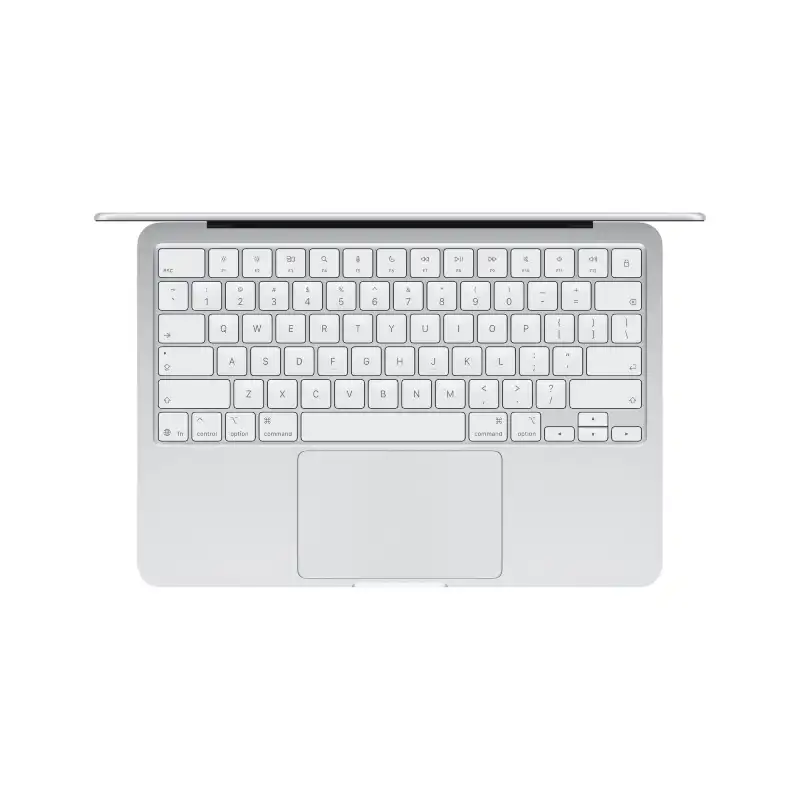
Apple MacBook Air 13-inch A18 Pro 8GB RAM 256GB SSD Silver
- Apple A18 Pro Chip — 6-Core CPU + 5-Core GPU with Ray Tracing
- 16-Core Neural Engine (NPU)
- 8GB Unified Memory (60GB/s Bandwidth)
- 256GB SSD
- 13.0" Liquid Retina (2408×1506) IPS, 219 PPI, 500 nits, 1 Billion Colours
- Up to 16 Hrs Battery (USB-C Charging, 20W Adapter Included)
- 2× USB-C Ports + 3.5mm Jack + 1080p FaceTime HD Camera
- macOS + Free iWork Suite (Pages, Numbers, Keynote)
- Silver
- 1-Year Apple India Warranty
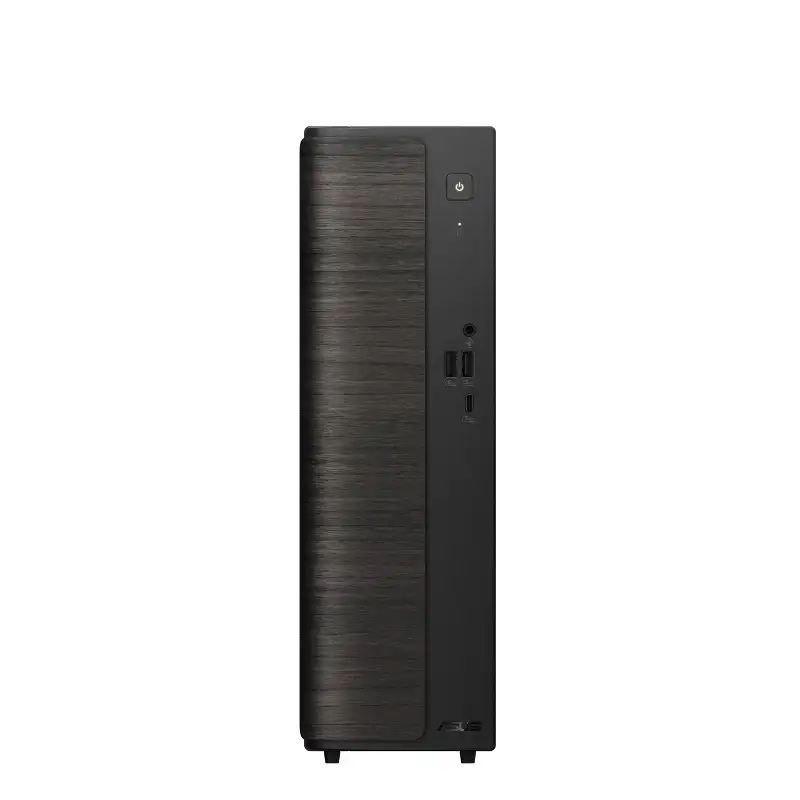
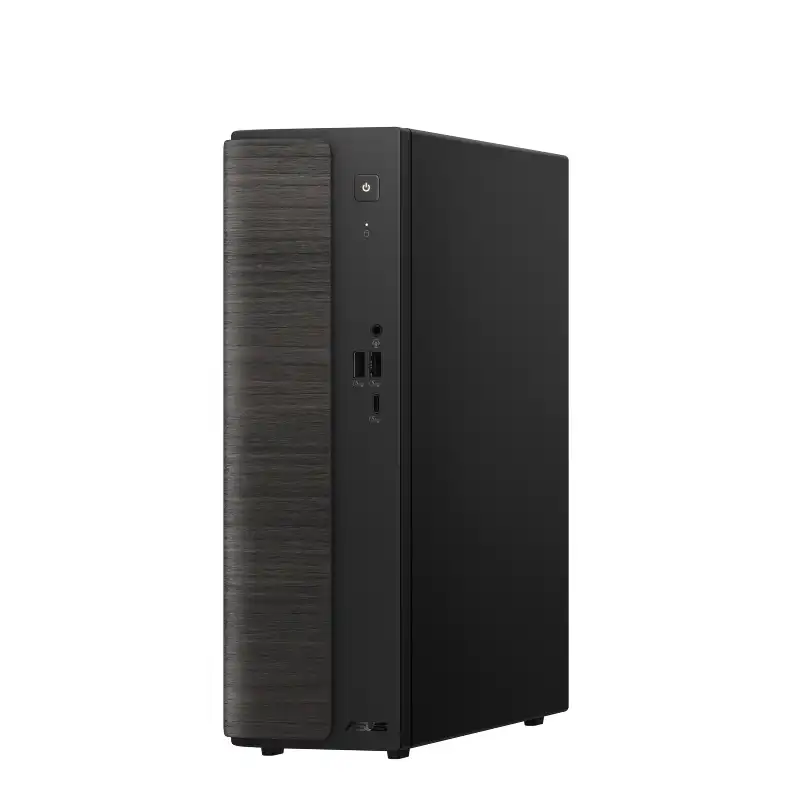
ASUS Desktop V501SV-03100U005WS
- Intel® Core™ 3 Processor 100U 1.2 GHz (10MB Cache, up to 4.7 GHz, 6 Cores, 8 Threads)
- Intel® Graphics (Integrated) — No Discrete GPU
- 8GB DDR5 SO-DIMM
- 512GB M.2 2280 NVMe™ PCIe® 4.0 SSD
- Small Form Factor (8.6L)
- Windows 11 Home + Microsoft Office Home 2024 + Microsoft 365 Basic
- Black
- 1-Year OnSite Warranty
💠Why Buy From Us?
🛡️ Zero-Risk Buying: 100% Genuine, Brand-Authorized stock with GST Invoices .
💰 Price Found it cheaper?: We’ll match the prices of Amazon,Flipkart and Local Store.
⚡ Bangalore Express: Free same-day delivery in Bangalore—faster than any "Prime" service.
🤝 Real Support: No bots. Call us at 9739221133 or visit our Koramangala store .
💳 No-Cost EMI: Get it with Bajaj Finserv or Credit Cards.
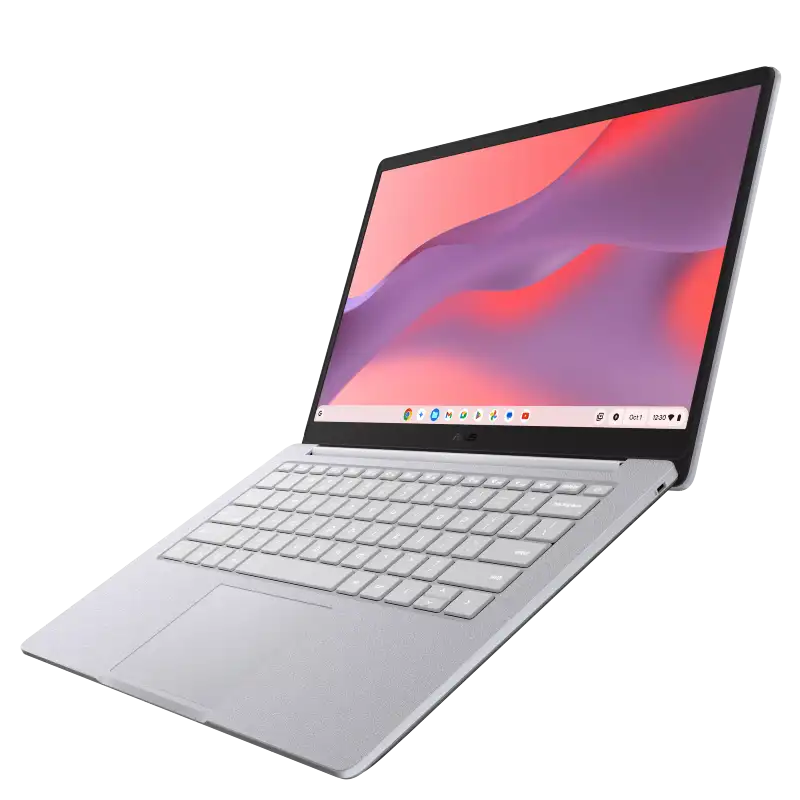
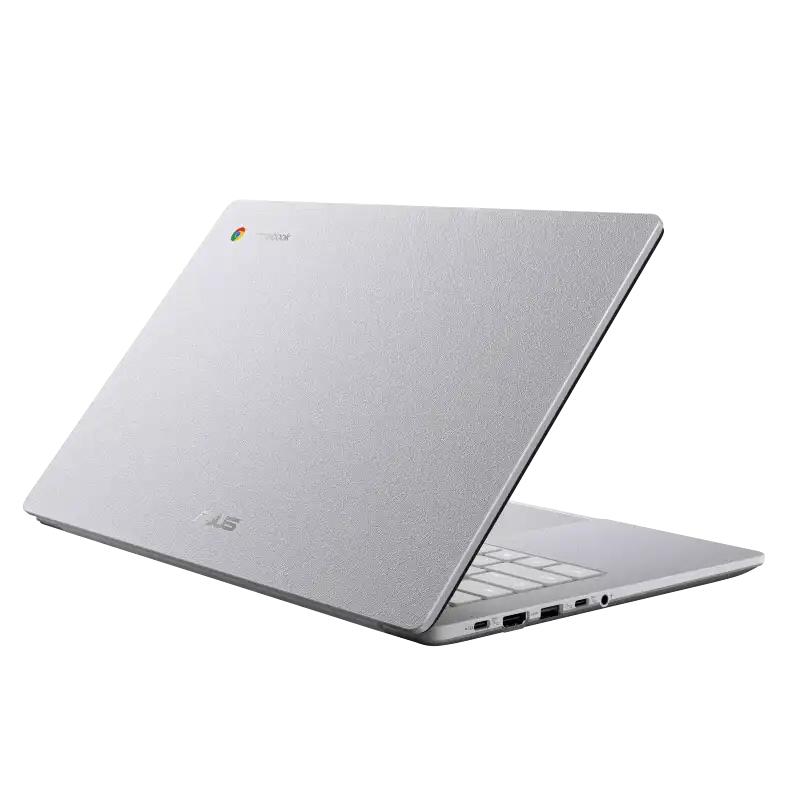
ASUS ExpertBook B1 B1403CVA B1403CVA-S60003
- Intel Core i3-1315U Processor (up to 4.5 GHz, 6C/8T)
- Intel® UHD Graphics
- 8GB DDR5 5200MHz
- 512GB M.2 2280 NVMeTM PCIe® 4.0 SSD
- 14" FHD (1920x1080) IPS, Anti-glare, 300nits%
- DOS
- Misty Grey
- 1Y+1Y Battery +1st Y LADP
💠Why Buy From Us?
🛡️ Zero-Risk Buying: 100% Genuine, Brand-Authorized stock with GST Invoices for easy tax savings.
💰 Price Found it cheaper?: We’ll match the prices of Amazon,Flipkart and Local Store.
⚡ Bangalore Express: Free same-day delivery in Bangalore—faster than any "Prime" service.
🤝 Real Support: No bots. Call us at 9739221133 or visit our Koramangala store for expert advice and hands-on setup.💵Exclusive Offers & Savings
📱Instant Savings: Save up to ₹5,000 instantly on UPI or NEFT payments!
💳 No-Cost EMI: Get it with Bajaj Finserv or Credit Cards.🎁Free Gift
🎒 Exclusive YourShoppy.com Bonus: we include a Premium Laptop Bag FREE with every laptop purchase!
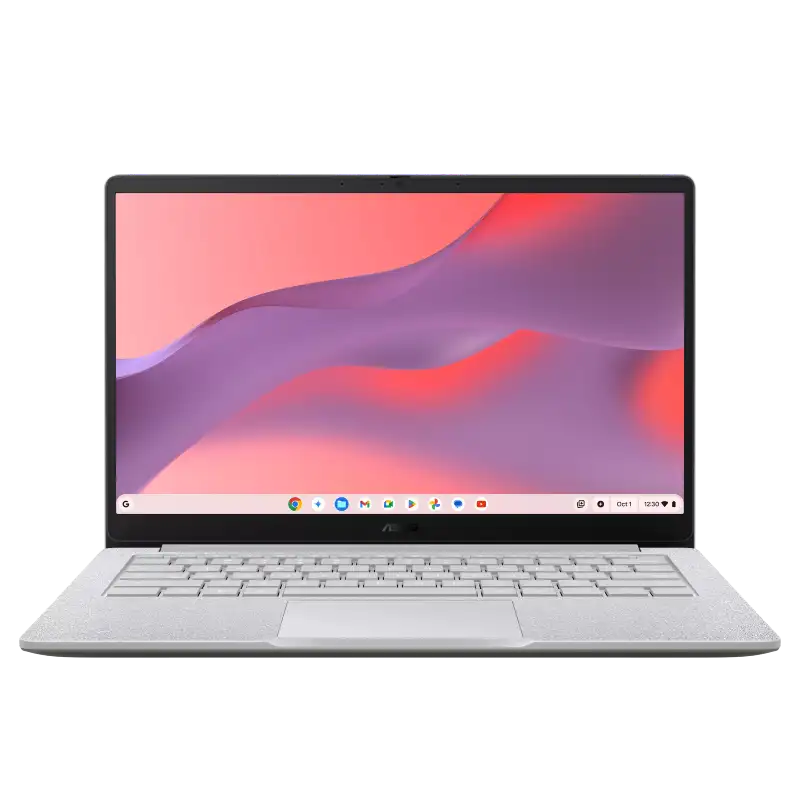
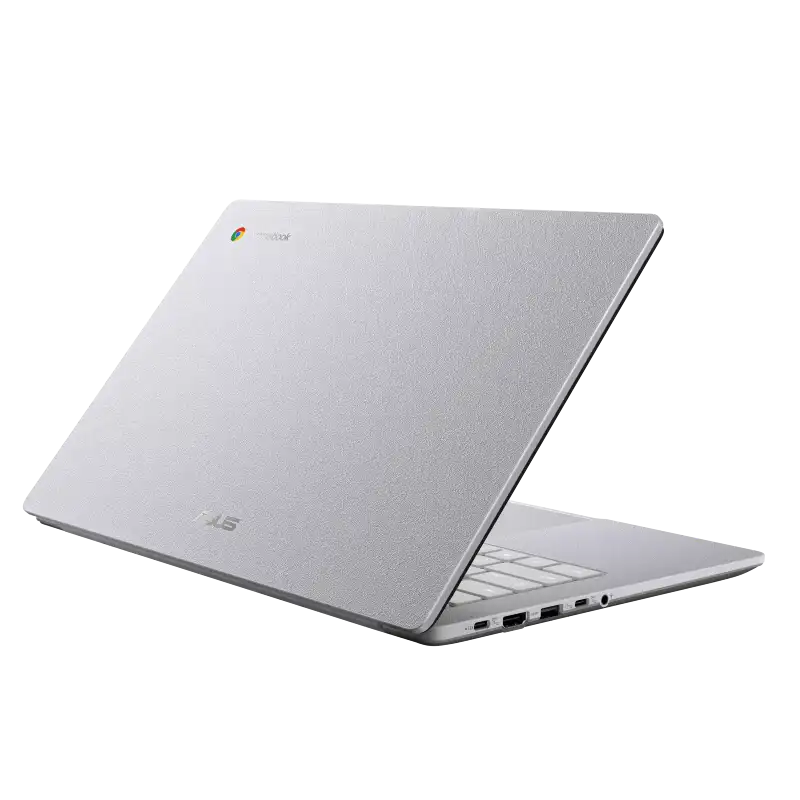
ASUS ExpertBook B1 B1403CVA B1403CVA-S60005X
- Intel Core i3-1315U Processor (up to 4.5 GHz, 6C/8T)
- Intel® UHD Graphics
- 16GB DDR5 5200MHz
- 512GB M.2 2280 NVMeTM PCIe® 4.0 SSD
- 14" FHD (1920x1080) IPS, Anti-glare, 300nits%
- DOS
- Misty Grey
- 1Y+1Y Battery +1st Y LADP
💠Why Buy From Us?
🛡️ Zero-Risk Buying: 100% Genuine, Brand-Authorized stock with GST Invoices for easy tax savings.
💰 Price Found it cheaper?: We’ll match the prices of Amazon,Flipkart and Local Store.
⚡ Bangalore Express: Free same-day delivery in Bangalore—faster than any "Prime" service.
🤝 Real Support: No bots. Call us at 9739221133 or visit our Koramangala store for expert advice and hands-on setup.💵Exclusive Offers & Savings
📱Instant Savings: Save up to ₹5,000 instantly on UPI or NEFT payments!
💳 No-Cost EMI: Get it with Bajaj Finserv or Credit Cards.🎁Free Gift
🎒 Exclusive YourShoppy.com Bonus: we include a Premium Laptop Bag FREE with every laptop purchase!
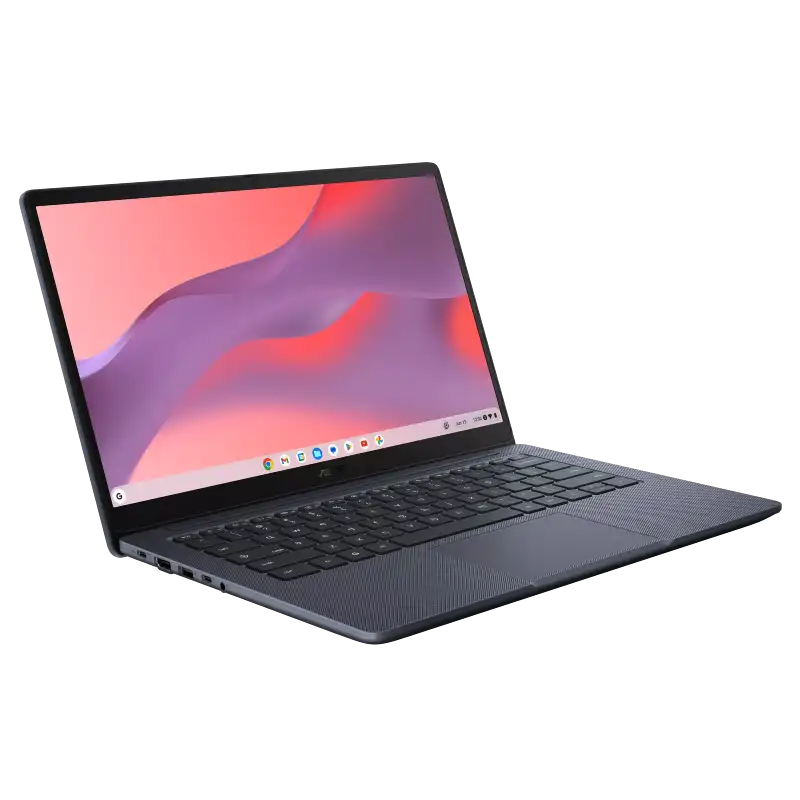
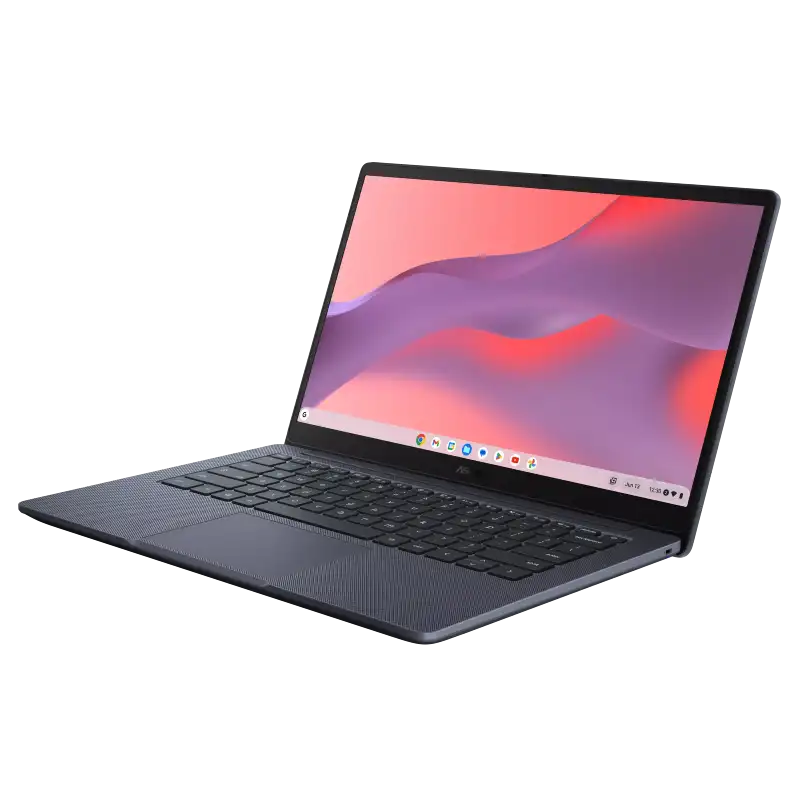
ASUS ExpertBook B1 B1403CVA B1403CVA-S60012
- Intel Core i3-1315U Processor (up to 4.5 GHz, 6C/8T)
- Intel® UHD Graphics
- 8GB DDR5 5200MHz
- 512GB M.2 2280 NVMeTM PCIe® 4.0 SSD
- 14" FHD (1920x1080) IPS, Anti-glare, 300nits%
- DOS
- Gentle Grey
- 1Y+1Y Battery +1st Y LADP
💠Why Buy From Us?
🛡️ Zero-Risk Buying: 100% Genuine, Brand-Authorized stock with GST Invoices for easy tax savings.
💰 Price Found it cheaper?: We’ll match the prices of Amazon,Flipkart and Local Store.
⚡ Bangalore Express: Free same-day delivery in Bangalore—faster than any "Prime" service.
🤝 Real Support: No bots. Call us at 9739221133 or visit our Koramangala store for expert advice and hands-on setup.💵Exclusive Offers & Savings
📱Instant Savings: Save up to ₹5,000 instantly on UPI or NEFT payments!
💳 No-Cost EMI: Get it with Bajaj Finserv or Credit Cards.🎁Free Gift
🎒 Exclusive YourShoppy.com Bonus: we include a Premium Laptop Bag FREE with every laptop purchase!
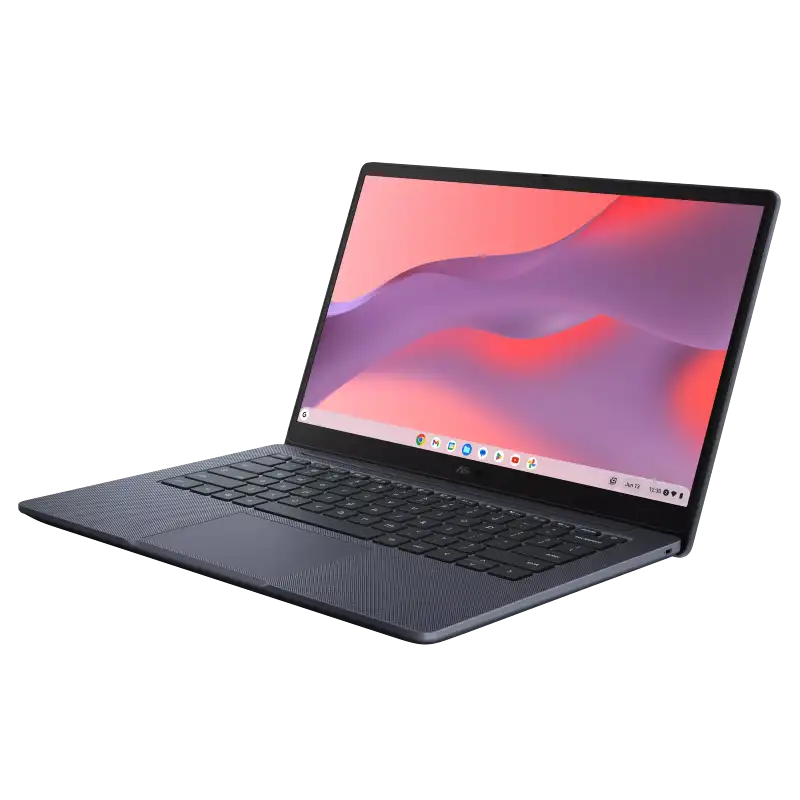
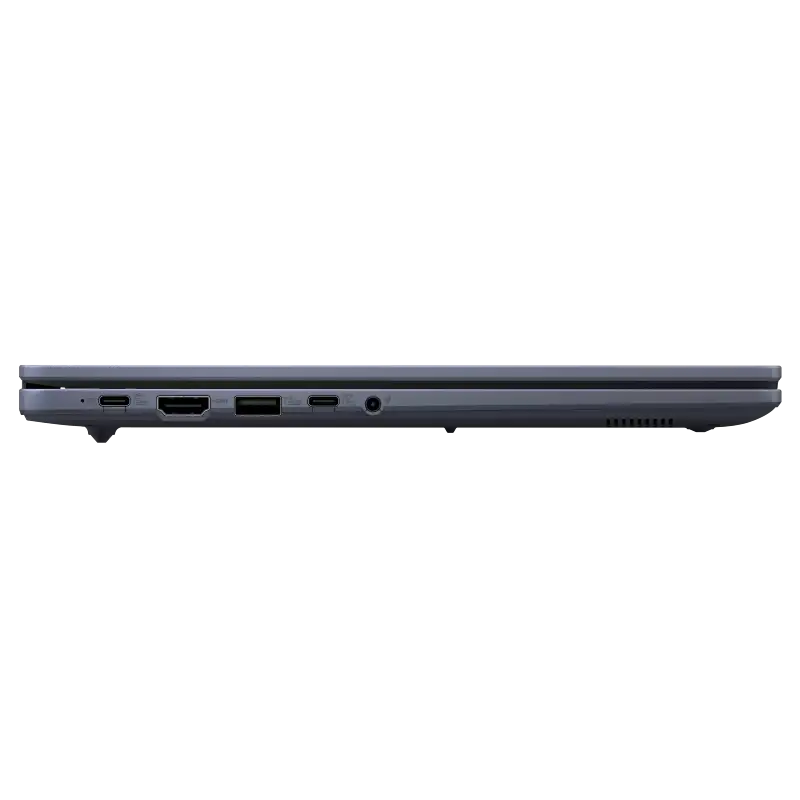
ASUS ExpertBook B1 B1403CVA B1403CVA-S60013X
- Intel Core i3-1315U Processor (up to 4.5 GHz, 6C/8T)
- Intel® UHD Graphics
- 16GB DDR5 5200MHz
- 512GB M.2 2280 NVMeTM PCIe® 4.0 SSD
- 14" FHD (1920x1080) IPS, Anti-glare, 300nits%
- DOS
- Gentle Grey
- 1Y+1Y Battery +1st Y LADP
💠Why Buy From Us?
🛡️ Zero-Risk Buying: 100% Genuine, Brand-Authorized stock with GST Invoices for easy tax savings.
💰 Price Found it cheaper?: We’ll match the prices of Amazon,Flipkart and Local Store.
⚡ Bangalore Express: Free same-day delivery in Bangalore—faster than any "Prime" service.
🤝 Real Support: No bots. Call us at 9739221133 or visit our Koramangala store for expert advice and hands-on setup.💵Exclusive Offers & Savings
📱Instant Savings: Save up to ₹5,000 instantly on UPI or NEFT payments!
💳 No-Cost EMI: Get it with Bajaj Finserv or Credit Cards.🎁Free Gift
🎒 Exclusive YourShoppy.com Bonus: we include a Premium Laptop Bag FREE with every laptop purchase!
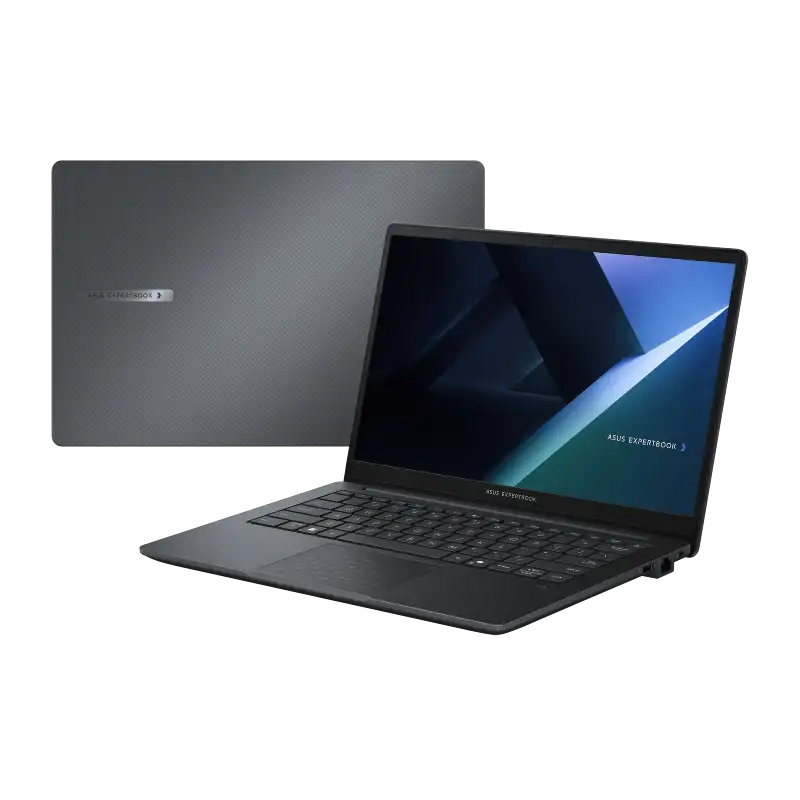
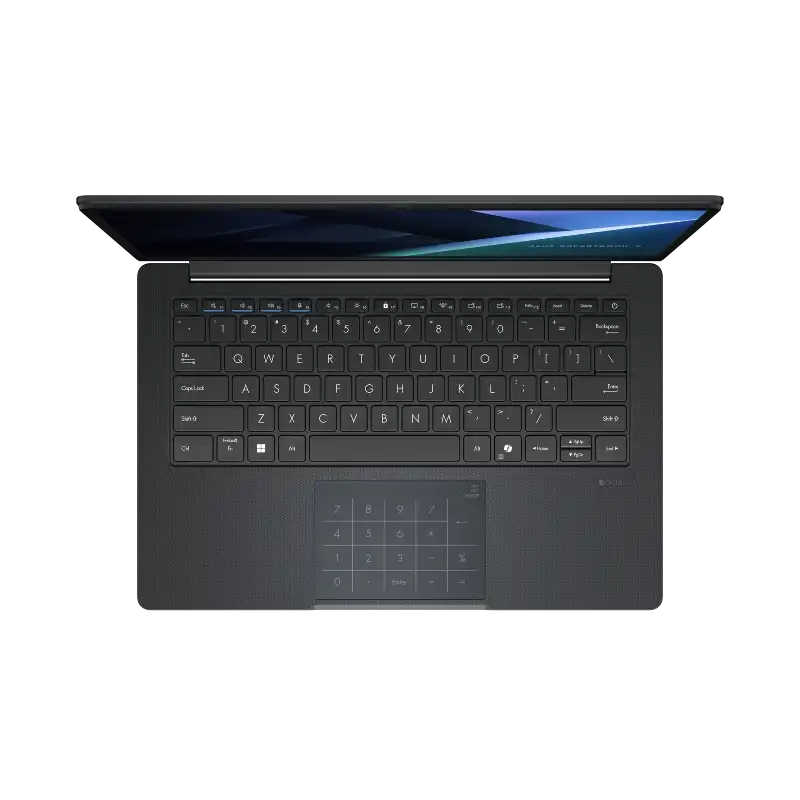
ASUS ExpertBook B1 B1403CVA B1403CVA-S60532
- Intel Core i3-1315U Processor (up to 4.5 GHz, 6C/8T)
- Intel® UHD Graphics
- 8GB DDR5 5200MHz
- 512GB M.2 2280 NVMeTM PCIe® 4.0 SSD
- 14" FHD (1920x1080) IPS, Anti-glare, 300nits%
- Windows 11 Pro
- Gentle Grey
- 1Y+1Y Battery +1st Y LADP
💠Why Buy From Us?
🛡️ Zero-Risk Buying: 100% Genuine, Brand-Authorized stock with GST Invoices for easy tax savings.
💰 Price Found it cheaper?: We’ll match the prices of Amazon,Flipkart and Local Store.
⚡ Bangalore Express: Free same-day delivery in Bangalore—faster than any "Prime" service.
🤝 Real Support: No bots. Call us at 9739221133 or visit our Koramangala store for expert advice and hands-on setup.💵Exclusive Offers & Savings
📱Instant Savings: Save up to ₹5,000 instantly on UPI or NEFT payments!
💳 No-Cost EMI: Get it with Bajaj Finserv or Credit Cards.🎁Free Gift
🎒 Exclusive YourShoppy.com Bonus: we include a Premium Laptop Bag FREE with every laptop purchase!
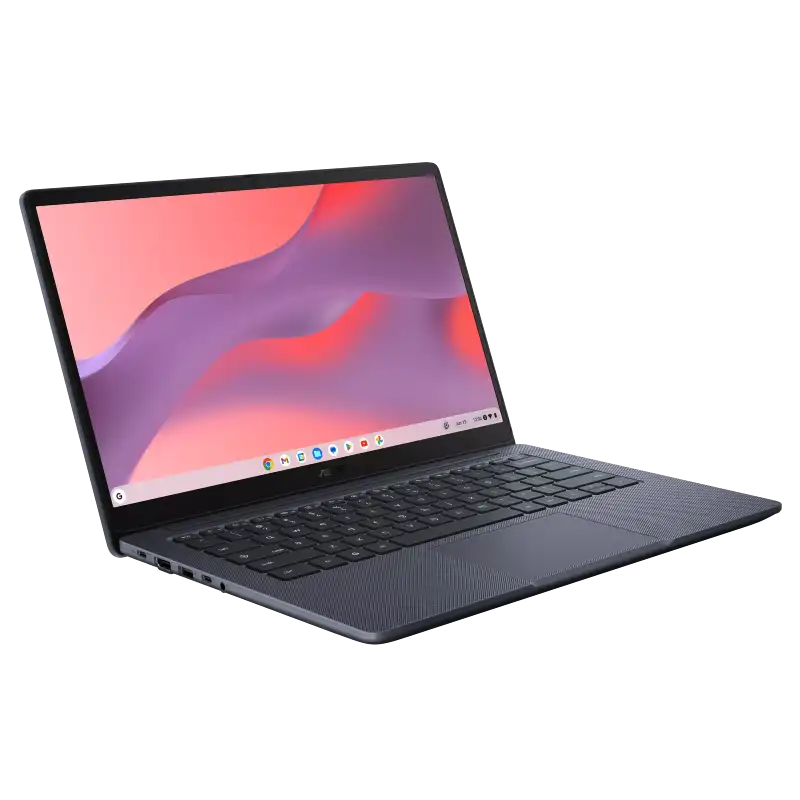
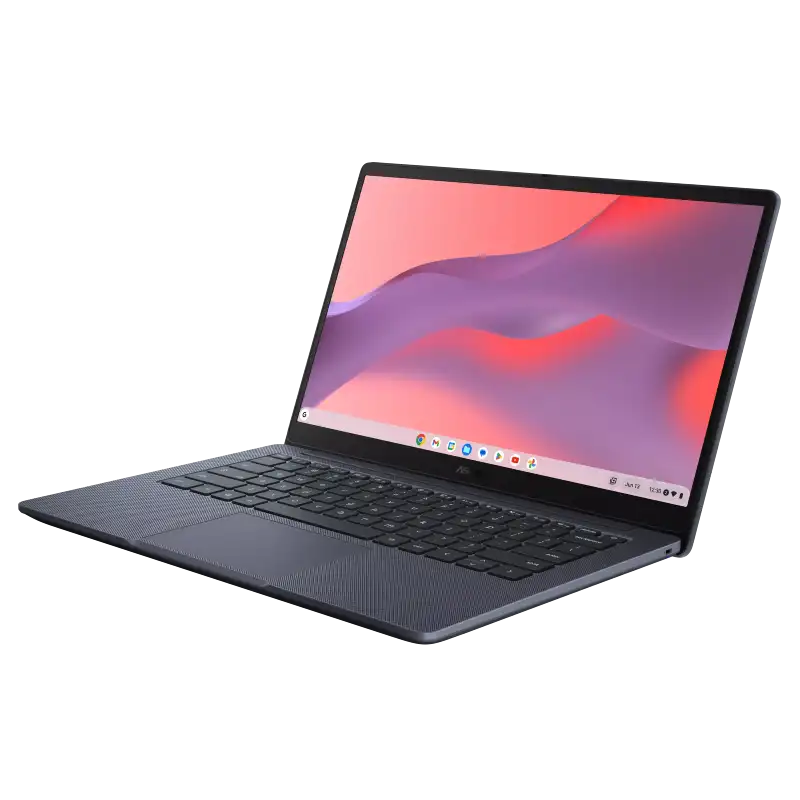
ASUS ExpertBook B1 B1403CVA B1403CVA-S60878WS
- Intel Core i3-1315U Processor (up to 4.5 GHz, 6C/8T)
- Intel® UHD Graphics
- 8GB DDR5 5200MHz
- 512GB M.2 2280 NVMeTM PCIe® 4.0 SSD
- 14" FHD (1920x1080) IPS, Anti-glare, 300nits%
- DOS
- Gentle Grey
- 1Y+1Y Battery +1st Y LADP
💠Why Buy From Us?
🛡️ Zero-Risk Buying: 100% Genuine, Brand-Authorized stock with GST Invoices for easy tax savings.
💰 Price Found it cheaper?: We’ll match the prices of Amazon,Flipkart and Local Store.
⚡ Bangalore Express: Free same-day delivery in Bangalore—faster than any "Prime" service.
🤝 Real Support: No bots. Call us at 9739221133 or visit our Koramangala store for expert advice and hands-on setup.💵Exclusive Offers & Savings
📱Instant Savings: Save up to ₹5,000 instantly on UPI or NEFT payments!
💳 No-Cost EMI: Get it with Bajaj Finserv or Credit Cards.🎁Free Gift
🎒 Exclusive YourShoppy.com Bonus: we include a Premium Laptop Bag FREE with every laptop purchase!


ASUS ExpertBook B1 B1403CVA B1403CVA-S61304
- Intel Core i3-1315U Processor (up to 4.5 GHz, 6C/8T)
- Intel® UHD Graphics
- 16GB DDR5 5200MHz
- 512GB M.2 2280 NVMeTM PCIe® 4.0 SSD
- 14" FHD (1920x1080) IPS, Anti-glare, 300nits%
- DOS
- Misty Grey
- 1Y+1Y Battery +1st Y LADP
💠Why Buy From Us?
🛡️ Zero-Risk Buying: 100% Genuine, Brand-Authorized stock with GST Invoices for easy tax savings.
💰 Price Found it cheaper?: We’ll match the prices of Amazon,Flipkart and Local Store.
⚡ Bangalore Express: Free same-day delivery in Bangalore—faster than any "Prime" service.
🤝 Real Support: No bots. Call us at 9739221133 or visit our Koramangala store for expert advice and hands-on setup.💵Exclusive Offers & Savings
📱Instant Savings: Save up to ₹5,000 instantly on UPI or NEFT payments!
💳 No-Cost EMI: Get it with Bajaj Finserv or Credit Cards.🎁Free Gift
🎒 Exclusive YourShoppy.com Bonus: we include a Premium Laptop Bag FREE with every laptop purchase!
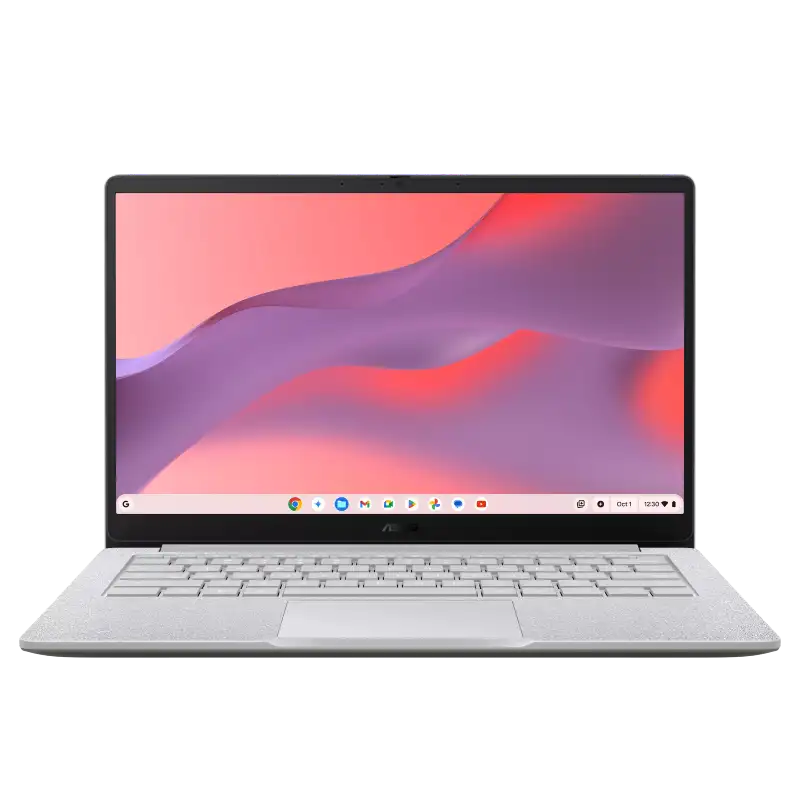
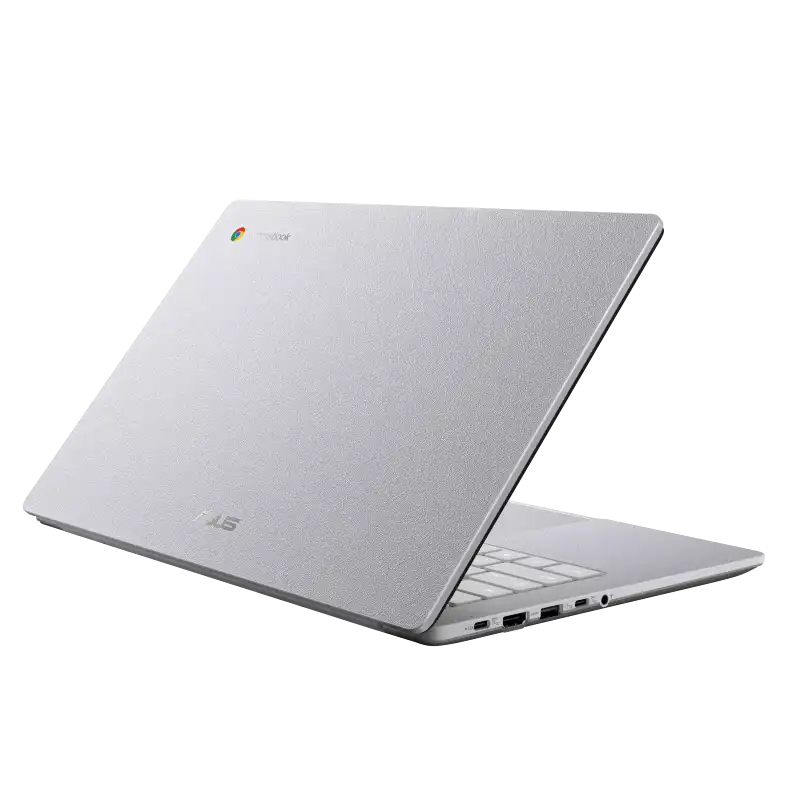
ASUS ExpertBook B1 B1403CVA B1403CVA-S61305
- Intel Core i3-1315U Processor (up to 4.5 GHz, 6C/8T)
- Intel® UHD Graphics
- 8GB DDR5 5200MHz
- 512GB M.2 2280 NVMeTM PCIe® 4.0 SSD
- 14" FHD (1920x1080) IPS, Anti-glare, 300nits%
- Windows 11 Pro
- Misty Grey
- 1Y+1Y Battery +1st Y LADP
💠Why Buy From Us?
🛡️ Zero-Risk Buying: 100% Genuine, Brand-Authorized stock with GST Invoices for easy tax savings.
💰 Price Found it cheaper?: We’ll match the prices of Amazon,Flipkart and Local Store.
⚡ Bangalore Express: Free same-day delivery in Bangalore—faster than any "Prime" service.
🤝 Real Support: No bots. Call us at 9739221133 or visit our Koramangala store for expert advice and hands-on setup.💵Exclusive Offers & Savings
📱Instant Savings: Save up to ₹5,000 instantly on UPI or NEFT payments!
💳 No-Cost EMI: Get it with Bajaj Finserv or Credit Cards.🎁Free Gift
🎒 Exclusive YourShoppy.com Bonus: we include a Premium Laptop Bag FREE with every laptop purchase!


ASUS ExpertBook B1 B1403CVA B1403CVA-S61596X
- Intel Core i3-1315U Processor (up to 4.5 GHz, 6C/8T)
- Intel® UHD Graphics
- 16GB DDR5 5200MHz
- 512GB M.2 2280 NVMeTM PCIe® 4.0 SSD
- 14" FHD (1920x1080) IPS, Anti-glare, 300nits%
- DOS
- Gentle Grey
- 1Y+1Y Battery +1st Y LADP
💠Why Buy From Us?
🛡️ Zero-Risk Buying: 100% Genuine, Brand-Authorized stock with GST Invoices for easy tax savings.
💰 Price Found it cheaper?: We’ll match the prices of Amazon,Flipkart and Local Store.
⚡ Bangalore Express: Free same-day delivery in Bangalore—faster than any "Prime" service.
🤝 Real Support: No bots. Call us at 9739221133 or visit our Koramangala store for expert advice and hands-on setup.💵Exclusive Offers & Savings
📱Instant Savings: Save up to ₹5,000 instantly on UPI or NEFT payments!
💳 No-Cost EMI: Get it with Bajaj Finserv or Credit Cards.🎁Free Gift
🎒 Exclusive YourShoppy.com Bonus: we include a Premium Laptop Bag FREE with every laptop purchase!
Frequently Asked Questions
Are all laptops at YourShoppy 100% genuine with full manufacturer warranty?
Yes. YourShoppy is an authorized dealer for ASUS, HP and Lenovo, and a trusted partner for Dell, MSI and Acer. Every laptop sold ships sealed in its original box with the manufacturer's standard 1-year warranty (extendable to 2 or 3 years on most models). You get a GST invoice with every purchase, which is required for warranty claims, insurance and corporate input credit.
How do I choose the right laptop for my needs?
Start with use case → budget → specs. For students and everyday work, an Intel Core i5 / Ryzen 5 with 16GB RAM and 512GB SSD around ₹50,000–₹65,000 is the sweet spot. For gaming or video editing, look at Ryzen 7 / Core i7 with RTX 4050 or higher, starting around ₹75,000. For business and travel, ultrabooks like the Zenbook, ThinkPad X1 or XPS 13 are ideal. Walk into our Koramangala store or WhatsApp us your use case — we'll shortlist 3 options in your budget within minutes.
How much RAM, storage and what processor should I buy in 2026?
For a laptop you'll keep 5+ years: minimum 16GB RAM (don't buy 8GB in 2026), 512GB NVMe SSD (avoid HDD entirely), and a current-generation processor — Intel Core Ultra 5/7, AMD Ryzen AI 5/7, or Apple M3/M4. For gaming or creative work, step up to 32GB RAM, 1TB SSD and a dedicated GPU (RTX 4050 or higher). Always check the processor generation, not just the family — a newer i5 often beats an older i7.
Do you offer same-day delivery in Bangalore?
Yes. We provide free same-day delivery to Koramangala, HSR Layout, BTM Layout, Indiranagar, Jayanagar, JP Nagar and Ejipura for orders confirmed before 2 PM. For Whitefield, Electronic City, Marathahalli, Bellandur, Sarjapur and other Bangalore localities, delivery is free and typically completed within 1 business day. Doorstep delivery is contact-less and you can inspect the sealed box before paying.
Do you provide a GST invoice for business or corporate purchases?
Yes. Every YourShoppy invoice is a proper GST tax invoice with your company's GSTIN, so you can claim input tax credit (up to 18%) on your laptop purchase. Just share your GSTIN and registered business name at checkout or before the in-store bill. We also support B2B bulk orders for IT companies, startups, schools and corporates across Bangalore — contact us for volume pricing on 5+ units.

 Toner Cartridges